12-Amethyst
April 1, 2022
Question

Advanced Grid failed to appear in a pop up and modal pop up window

  • April 1, 2022
  • 1 reply
  • 1235 views

Hello everyone,


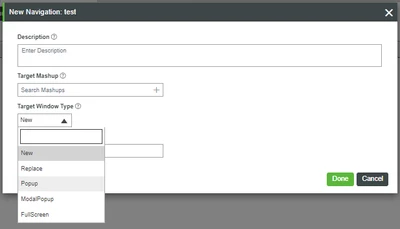
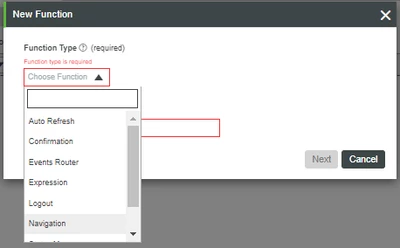
I'm using Thingworx 9.1.8-b845 and I would like to show an advanced grid in a Popup window by using Function > Navigation > Popup. But weirdly it doesn't show on a popup window but it shows on a normal window/tab which is fullscreen. Is this a bug for this particular widget or there are some settings I should pay attention to?


Thanks in advance.
nikkolasep_0-1648804091331.png

nikkolasep_1-1648804150174.png


1 reply

Support
April 6, 2022

HI @nikkolasep.


Are you passing the same data to the popup window that you're passing full screen?  Is it possible you failed to bind it in the popup?


You can also use the browser dev tools (F12) for assistance in troubleshooting.  Look for any service call that is expected to load the data to verify that it's actually running and pulling back data.


Regards.


--Sharon

12-Amethyst
April 7, 2022

Now after checking with the dev tools, I realized that the navigator button needs to be triggered around 3 times so that the mashup containing advanced grid and it's infotable data is loaded successfully. Unfortunately I can't find any other solution that solves this problem except using a pure JS solution with 

window.open(url, target, windowFeatures)

 as a workaround. The second issue is that the popup window can't be resized manually when showing an advanced grid, which mostly doesn't have the perfect window size for showing the whole advanced grid showing the infotable

Support
April 22, 2022

Hi @nikkolasep


Can you provide a sample set of data and the entities and mashups so we can take a look?


Regards.


--Sharon