
1-Visitor
May 28, 2021
Solved

Base64 to Image

  • May 28, 2021
  • 1 reply
  • 1716 views

Hi,
This the code that I'm using to convert base64 code input into an image output, I have gathered this code from the community itself but it is not working for me... Showing No Image Available error.

var input;
var binaryString = "";
for (var i = 2; i < input.length; i += 2) {
binaryString += String.fromCharCode(
parseInt(
input.substr(i, 2),
16
)
);
}
var result = base64EncodeString(binaryString);
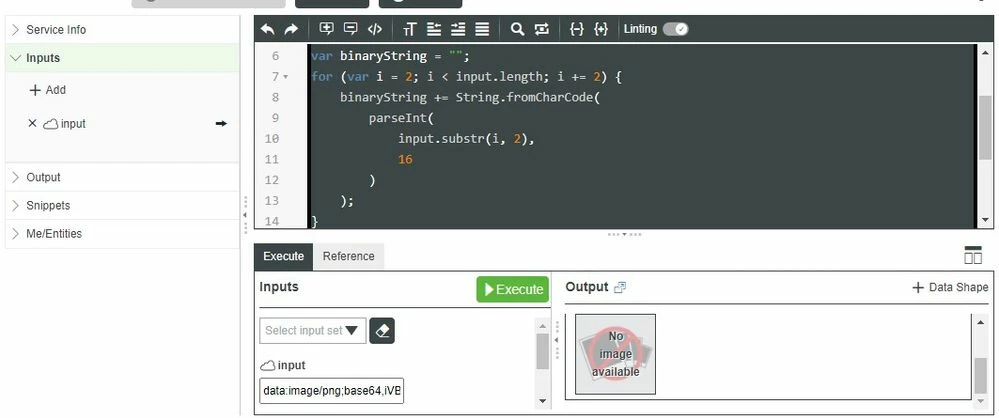
 

@Constantine 


t.jpg

Best answer by CharlesJi

Hi @sagar.d, I noticed that your input is already a base64 string and not a binary string.

So you just need to cut the header part (i.e., data&colon;image/png;base64,) and keep the rest:


var result = input.split(',')[1];


 Hope it helps.

1 reply

CharlesJiCommunity ManagerAnswer
Support
June 1, 2021

Hi @sagar.d, I noticed that your input is already a base64 string and not a binary string.

So you just need to cut the header part (i.e., data&colon;image/png;base64,) and keep the rest:


var result = input.split(',')[1];


 Hope it helps.

sagar.d1-VisitorAuthor
1-Visitor
June 1, 2021

Hi @CharlesJi thanks for the response, really appreciate it.
I have tried removing the header part as you said, and entered the rest in input, still not getting any image.

The input data-type I am using is BLOB, if I use String - the output is a broken image.