4-Participant
January 18, 2023
Solved

Call ThingWorx Service from 2 different buttons and identify the clicked event inside service

  • January 18, 2023
  • 1 reply
  • 2929 views

Hi All,


I have a service that will give the infotable output, This service will be called on 2 different button clicks like save and cancel,


Since we can bind single infotable to the grid in mashup it should be from a single service.

I want to know if there is any way to identify clicked event of a button on click 


for example : if I click cancel, I should get an input as cancel and similarly on save


I had used Trigger service widget previously for such scenario, but unable to find that widget now.

If anyone knows about this widget could you please tell me where is it available to download ?


Thanks in Advance 


Best answer by jensc

Hello,


The only thing I could come up with would be to use expressions in order to give your button presses a value.


Something like this:

jensc_0-1674052850352.png

And then you bind your button clicked event to this expression and then the output of the expression to your service.

This way each time you press the button you will get your value into your service.

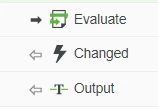
And I do think you could use the "changed" event on the expression to trigger your service:

jensc_1-1674052946179.png

However I have not tested this to make sure it will always trigger, as in this case the value of the expression might never change.

So you'd have to test this to make sure it works as expected.


Regards,

Jens

1 reply

jensc17-PeridotAnswer
17-Peridot
January 18, 2023

Hello,


The only thing I could come up with would be to use expressions in order to give your button presses a value.


Something like this:

jensc_0-1674052850352.png

And then you bind your button clicked event to this expression and then the output of the expression to your service.

This way each time you press the button you will get your value into your service.

And I do think you could use the "changed" event on the expression to trigger your service:

jensc_1-1674052946179.png

However I have not tested this to make sure it will always trigger, as in this case the value of the expression might never change.

So you'd have to test this to make sure it works as expected.


Regards,

Jens

4-Participant
January 18, 2023

Hi Jens,


I am doing it a same way now, but the issue is it not evaluating the expressing always on click.

Not sure why


I am calling an expression for each buttons and setting one hidden checkbox to true and passing this value to one more expression and identifying the clicked event.

please see the images below for reference 


17-Peridot
January 19, 2023

Hello,


I think you are on the right track, and it would probably be possible to do it with checkboxes.

The difficult thing would be to reset the checkboxes after the button has been pressed, unless you use the "ServiceInvokeCompleted" event.


Here is a better eplanation of how I did it;

I have two buttons;

jensc_0-1674111577650.png

I will only explain one of them as it the second button use the exact same bindings;

The button click event gets fired and evaluates the expression.

jensc_1-1674111589653.png

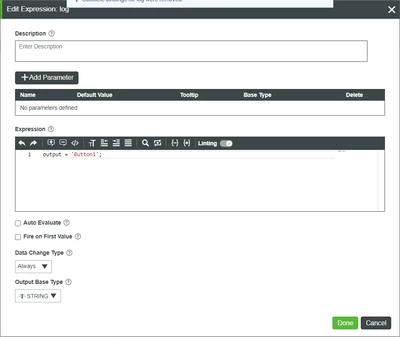
The expression just outputs the name of the button:

jensc_4-1674113112379.png

That value then goes into an event router:

jensc_3-1674111693210.png

Which in turn (for testing purposes) goes into another expression.

jensc_5-1674113423342.png

The expression just logs the value that we input into it.

jensc_6-1674113472488.png

When pressing the buttons I get this log:

jensc_7-1674113528259.png

So as you can see, it gives me different values depending on what I press.


I am not sure if this is the best way to do this. So if anyone else has any ideas I'd be happy to hear them as well.


Regards,

Jens