1-Visitor
March 3, 2020
Solved

Can't Install ThingWorx 8.5 Trial Version

  • March 3, 2020
  • 2 replies
  • 2820 views

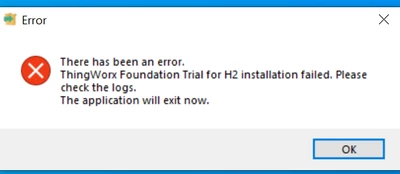
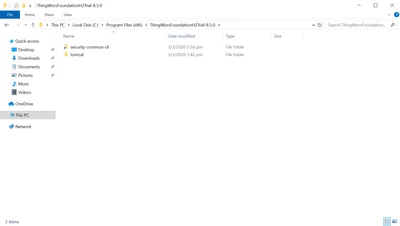
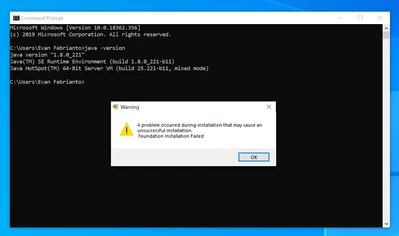
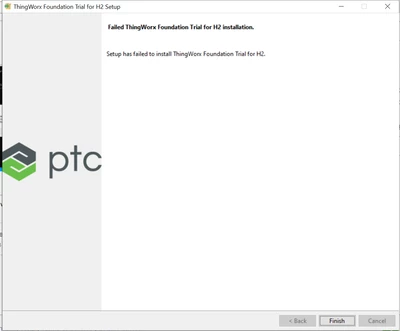
Hi, I couldn't install ThingWorx 8.5.0 trial version on my windows. I have followed the installation guide but it doesn't help. My java is 1.8.0 and 64 bit. Did I miss something during the installation? I couldn't even find the uninstaller or installation log.
evanfebrianto_0-1583221238366.png

evanfebrianto_1-1583221322339.pngevanfebrianto_2-1583221363482.png

evanfebrianto_3-1583221465194.png


Best answer by cmorfin

Hi @evanfebrianto 


I think you should have more than one bitrock*log files.

All of them are important to look at.


However I made a quick test and was able to reproduce the exact same error (now it may have several root cause).

I would recommend to do the following:

- Ensure that JAVA_HOME variable is set as System variable (not user variable) and points to a JDK not a JRE.

- Ensure that JDK/bin is in PATH system variable

- Execute sc delete ThingWorx-Foundation in an elevated  command prompt 

Once this is ok, try again the installer.


Hope this helps

Regards

Christophe


2 replies

19-Tanzanite
March 3, 2020

Hi @evanfebrianto 


Look under %TEMP% you may have log files created during the timestamp of the install, notably some bitrock* log files.

they may have information of interest.


Kind regards

Christophe


1-Visitor
March 4, 2020

Hi @cmorfin ,


Where can I find %TEMP% directory? I couldn't find it.

19-Tanzanite
March 4, 2020

Hi @evanfebrianto 


You can find the value of %TEMP% with : echo %TEMP%

Also in Windows Explorer simply enter %TEMP% in the folder path field and it will get there.


Regards

Christophe


Community Manager
March 3, 2020

Hi @evanfebrianto.


Is this the guide you are following?  Did you validate the system requirements before running the installer?


If you have attempted to install multiple times, you may have to rip out artifacts in the registry remaining from your previous installation attempts, and remove any existing files/folders on the file system.  This process can be prone to issue, so care is needed.  It's recommended that you generate a backup of the registry before making any changes. It would also be a good idea if you're not familiar with the registry, to engage the assistance of someone who is experienced in this area.


Regards.


--Sharon

1-Visitor
March 4, 2020

Hi @slangley ,


Yes, that is the guide I am following. I did validate the system requirements as well as cleaned the registry and reinstalled the ThingWorx. But it still doesn't work. I was using ThingWorx 8.4 in another VM then I clone the VM and use ThingWorx 8.5.