

Cannot start thingworx 7.4; error with JDBC connection
Hello,
I have installed thingworx 7.4 (fresh installation) but its not UP and running. Below are the details of my environment,
Server : Windows Server 2012 R2 (VM)
thingworx 7.4
PostgreSQL 9.4.12
Apache Tomcat/8.0.38
Java 1.8 92 b14
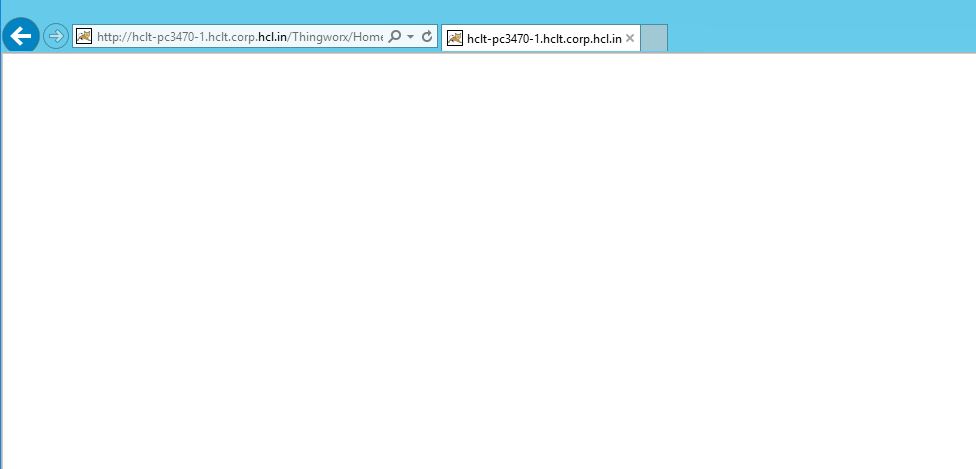
Once installed and start the thingworx from Internet Explorer, it does not ask for any Log in, there is a blank page shown without any errors. Below is the screenshot.
The application log file from thingworxstorage
2017-05-26 11:43:58.019+0530 [L: ERROR] [O: c.t.s.a.AuthenticationFilter] [I: ] [U: ] [S: ] [T: http-nio-80-exec-10] Could not handle request
2017-05-26 11:44:05.285+0530 [L: ERROR] [O: c.t.s.a.AuthenticationFilter] [I: ] [U: ] [S: ] [T: http-nio-80-exec-11] Could not handle request
2017-05-26 11:44:06.082+0530 [L: ERROR] [O: c.t.s.a.AuthenticationFilter] [I: ] [U: ] [S: ] [T: http-nio-80-exec-12] Could not handle request
2017-05-26 11:44:06.301+0530 [L: ERROR] [O: c.t.s.a.AuthenticationFilter] [I: ] [U: ] [S: ] [T: http-nio-80-exec-13] Could not handle request
2017-05-26 11:44:06.488+0530 [L: ERROR] [O: c.t.s.a.AuthenticationFilter] [I: ] [U: ] [S: ] [T: http-nio-80-exec-14] Could not handle request
2017-05-26 11:44:06.660+0530 [L: ERROR] [O: c.t.s.a.AuthenticationFilter] [I: ] [U: ] [S: ] [T: http-nio-80-exec-15] Could not handle request
2017-05-26 11:44:06.848+0530 [L: ERROR] [O: c.t.s.a.AuthenticationFilter] [I: ] [U: ] [S: ] [T: http-nio-80-exec-16] Could not handle request
2017-05-26 11:44:07.035+0530 [L: ERROR] [O: c.t.s.a.AuthenticationFilter] [I: ] [U: SuperUser] [S: ] [T: http-nio-80-exec-7] Could not handle request
2017-05-26 11:44:07.207+0530 [L: ERROR] [O: c.t.s.a.AuthenticationFilter] [I: ] [U: ] [S: ] [T: http-nio-80-exec-8] Could not handle request
2017-05-26 11:44:07.395+0530 [L: ERROR] [O: c.t.s.a.AuthenticationFilter] [I: ] [U: ] [S: ] [T: http-nio-80-exec-9] Could not handle request
2017-05-26 11:44:07.551+0530 [L: ERROR] [O: c.t.s.a.AuthenticationFilter] [I: ] [U: ] [S: ] [T: http-nio-80-exec-10] Could not handle request
2017-05-26 11:44:07.738+0530 [L: ERROR] [O: c.t.s.a.AuthenticationFilter] [I: ] [U: ] [S: ] [T: http-nio-80-exec-11] Could not handle request
2017-05-26 11:52:36.581+0530 [L: ERROR] [O: c.t.s.a.AuthenticationFilter] [I: ] [U: ] [S: ] [T: http-nio-80-exec-14] Could not handle request
Same application log file from yesterday is as below,
2017-05-25 20:06:35.100+0530 [L: ERROR] [O: c.t.s.ThingWorxBootstrapper] [I: ] [U: SuperUser] [S: ] [T: localhost-startStop-1] [message: Unable to initialize and start system: Connections could not be acquired from the underlying database!]
The entries from PostgreSQL log is as below.
2017-05-25 19:43:24 IST LOG: database system was shut down at 2017-05-25 19:43:22 IST
2017-05-25 19:43:24 IST LOG: MultiXact member wraparound protections are now enabled
2017-05-25 19:43:24 IST LOG: database system is ready to accept connections
2017-05-25 19:43:24 IST LOG: autovacuum launcher started
2017-05-25 19:48:53 IST FATAL: password authentication failed for user "twadmin"
2017-05-25 19:48:53 IST DETAIL: Connection matched pg_hba.conf line 80: "host all all 127.0.0.1/32 md5"
2017-05-25 19:48:53 IST FATAL: password authentication failed for user "twadmin"
2017-05-25 19:48:53 IST DETAIL: Connection matched pg_hba.conf line 80: "host all all 127.0.0.1/32 md5"
2017-05-25 19:48:53 IST FATAL: password authentication failed for user "twadmin"
2017-05-25 19:48:53 IST DETAIL: Connection matched pg_hba.conf line 80: "host all all 127.0.0.1/32 md5"
2017-05-25 19:48:53 IST FATAL: password authentication failed for user "twadmin"
2017-05-25 19:48:53 IST DETAIL: Connection matched pg_hba.conf line 80: "host all all 127.0.0.1/32 md5"
Below is the screenshot of the PostgreSQL,
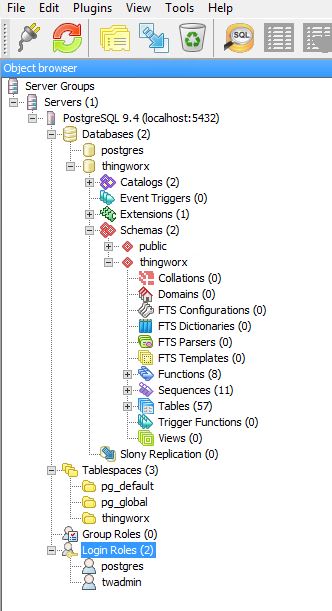
All the thingworxstorage, thingworzbackstorage, thingworxplatform are all places directly under E:/ and it is shared with the all the users.
Any help is greatly appreciated.
Regards
Naveen