1-Visitor
May 31, 2019
Solved

Change color of LED display / Value display based on timing

  • May 31, 2019
  • 1 reply
  • 1875 views

Hi,

Is it possible to change the color of led / value display to red for just 5 seconds when changed from one value to another value and after 5 seconds turn it back to black?

How can I achieve this in ThingWorx 8.2?


Thanks in advance, Shalini v.
Best answer by Rajesh_Sayana

Hi Shalini,

1.png2.png3.png4.png5.png6.png

There is a way to implement your functionality. I will walk you through the steps here:

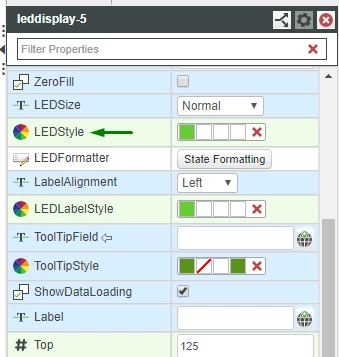
  • Create two led button widgets. Create your custom style definitions and assign them to these LED widgets through "LEDStyle" option
  • You can place the LED widgets on top of one another for consistent rendering. Set the red LED widget visibility to false.
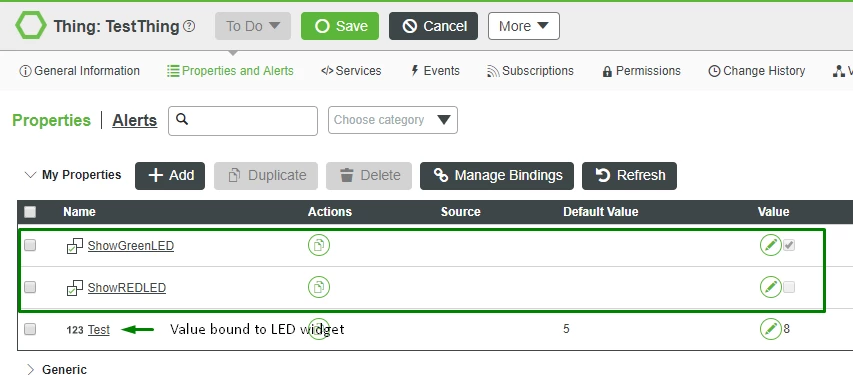
  • From the thing where you are binding the value to LED display widgets, add two more properties of type Boolean. These properties are used to determine which LED widget to be displayed. 
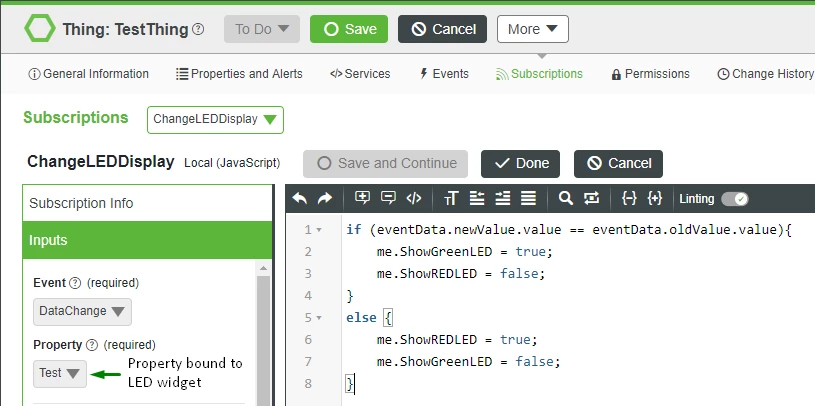
  • Now create a subscription on the thing based on the DataChange event of the binding property.
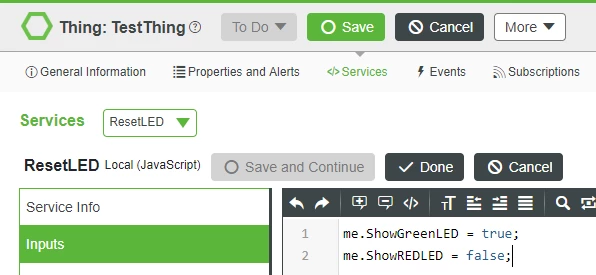
  • Write a service under the same thing to Reset the LED visibility.
  • Set the default value of ShowGreenLED to true, ShowREDLED to false.
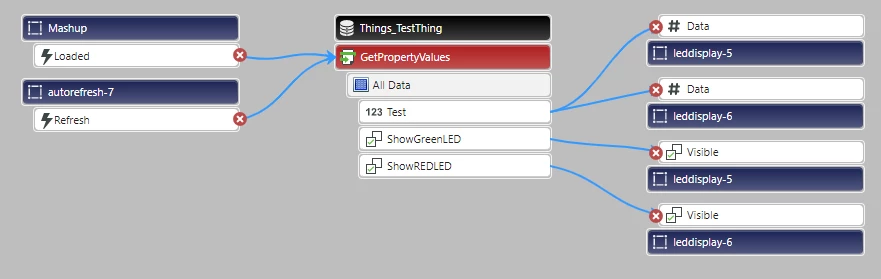
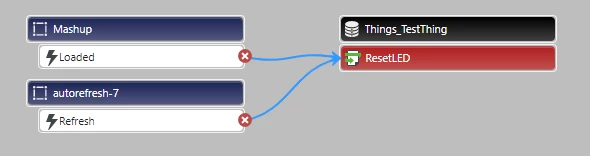
  • Now bind the data to the widgets. Please find attachments for your reference.
  • Set the auto refresh interval to 5 and you will have your desired functionality.

Let me know if you face any issues with the implementation.

Best regards,

Rajesh.

1 reply

5-Regular Member
May 31, 2019

Hi Shalini,

1.png2.png3.png4.png5.png6.png

There is a way to implement your functionality. I will walk you through the steps here:

  • Create two led button widgets. Create your custom style definitions and assign them to these LED widgets through "LEDStyle" option
  • You can place the LED widgets on top of one another for consistent rendering. Set the red LED widget visibility to false.
  • From the thing where you are binding the value to LED display widgets, add two more properties of type Boolean. These properties are used to determine which LED widget to be displayed. 
  • Now create a subscription on the thing based on the DataChange event of the binding property.
  • Write a service under the same thing to Reset the LED visibility.
  • Set the default value of ShowGreenLED to true, ShowREDLED to false.
  • Now bind the data to the widgets. Please find attachments for your reference.
  • Set the auto refresh interval to 5 and you will have your desired functionality.

Let me know if you face any issues with the implementation.

Best regards,

Rajesh.

1-Visitor
June 7, 2019

Hi @Rajesh_Sayana ,

This worked. Thanks a lot.