Solved
Change the background of radio button upon selection
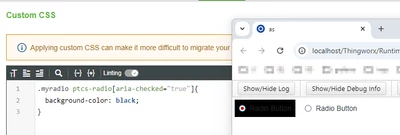
Hello, I'm trying to change the background of a radio button on selection to look like the below snapshot

I've tried using style properties but theirs not option to change the background under "selected" or "pressed and selected". Only under focus and base we have the option to change the background but I would like to change the background on the selection of the radio button.
I've also tried custom CSS .myCustomClass .widget-content:selected{background: #92ef83} but it doesn't seem to work.
Any work around to achieve this would be very helpful, thanks.