14-Alexandrite
Aug 15, 2024 8:53 PM UTC
Solved

Change the color of text within a datePicker widget when disabled

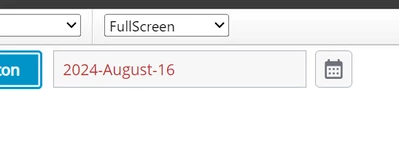
I need to change the color of the hint text (or any text) for a date picker widget when the widget is disabled. It is too difficult to read with the current color. I have done so on dropdowns and text widgets using the style properties tab. I cannot find a place to change this color for the date picker widget though. The css is in the shadow dom and I was unsure how to do it here. Can anyone help to change this?

JO_9930585_0-1723755038351.png


VelkumarAnswer
19-Tanzanite
Aug 16, 2024 7:12 AM UTC

Hi @JO_9930585 


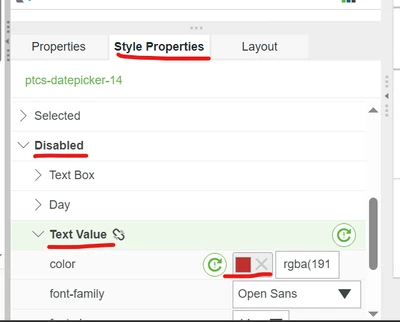
You can change it in widget style property

Velkumar_0-1723792325164.png

Velkumar_0-1723792399270.png


/VR


4 replies

Velkumar19-TanzaniteAnswer
19-Tanzanite
Aug 16, 2024 7:12 AM UTC

Hi @JO_9930585 


You can change it in widget style property

Velkumar_0-1723792325164.png

Velkumar_0-1723792399270.png


/VR


Translate
14-Alexandrite
Aug 16, 2024 3:16 PM UTC

I do not have this in my version of TWX as stated in the original post. Version 9.0. I need another method. This will not work for me unfortunately.

JO_9930585_0-1723821316595.png


Translate
Support
Nov 19, 2024 8:19 AM UTC

Hi @JO_9930585,

Can you please try below Custom CSS to see if it works?

ptcs-datepicker[disabled]::part(date-field)::part(text-value){
     color:red;
}


Note that if you upgrade your ThingWorx, this CustomCSS might not work, please switch to the Style Property way as @Velkumar mentioned once it's available in your new ThingWorx system. ThingWorx 9.0 is old not not supported anymore.

Translate
14-Alexandrite
Nov 21, 2024 7:39 PM UTC

We will wait to upgrade. Thanks

Translate