
10-Marble
April 9, 2024
Question

Changing button style on a grid row click

  • April 9, 2024
  • 1 reply
  • 1283 views

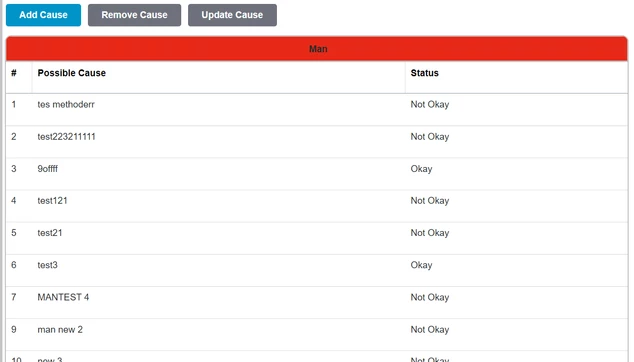
I have a grid in my mashup and a few buttons on top, what i need is that whenever i click a grid row the buttons css should change signifying that the button is active now, For example i click the first row and the button text of the "remove cause" button changes to some other color, how can i achieve this functionality.


#121.png

1 reply

16-Pearl
April 9, 2024

Hi @AV_10867476 ,


Based on the grid selected row of any unique value column,  you can Enable/Disbale which denotes Active/Inactive the button by the Experssion. Kindly find the sample design in below. By this reference you can change the logic based on your requirement with CSS.

Expression:

Arun_C_1-1712660665963.png

Sample Binding:

Arun_C_0-1712660630096.png

If you have any queries please let me know.


Thanks & Regards,

Arun C


10-Marble
April 9, 2024

Sure I will try this approach, also is there a way to just alter the css without actually enabling or disabling the button.

16-Pearl
April 9, 2024

Yeah, Based on the custom class name that you define in the expression output and can bind with Custom Class of button property. It will helps you.