1-Visitor
November 8, 2018
Question

Connect to Thingworx failed

  • November 8, 2018
  • 2 replies
  • 2760 views

Hi all,

I am following this tutorial to connect Thingworx Industrial Connectivity to Thingworx Foundation. But I have an error:
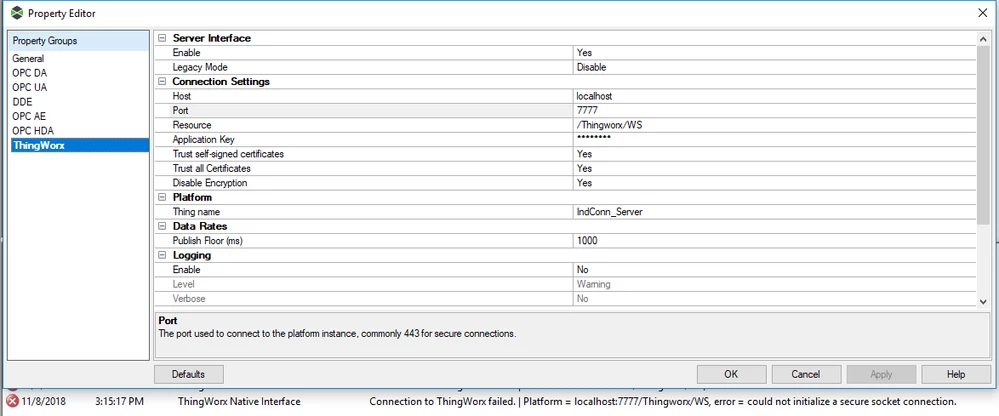
error1.PNG

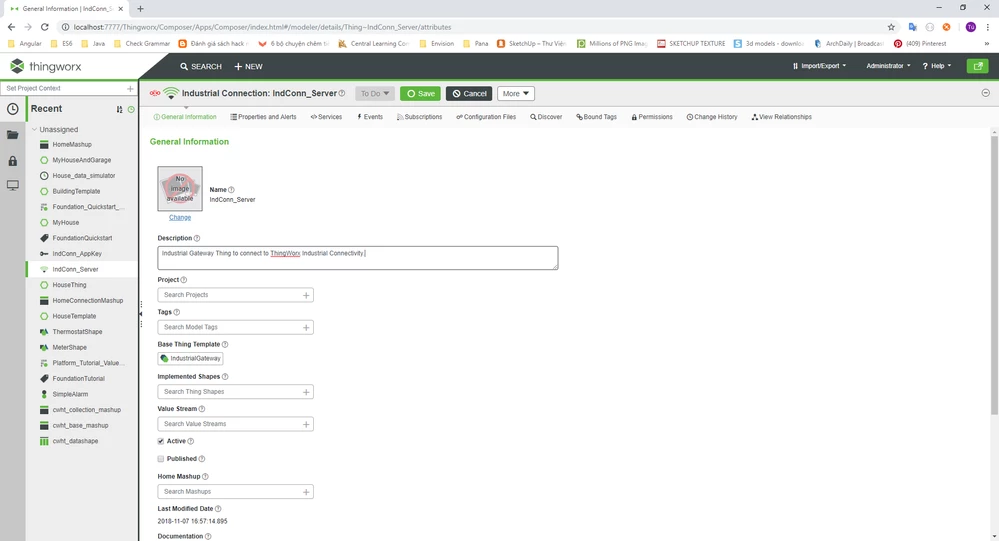
This is Thingworx Foundation:

error2.PNG

Please help me fix this error!

Thanks all,

 Quang Tu

 

2 replies

19-Tanzanite
November 8, 2018

Hello @tunq1,


Could you disable "Trust self-signed Certificates" & "Trust all certificates" and try ?


Regards,

VR

tunq11-VisitorAuthor
1-Visitor
November 9, 2018

Hi @Velkumar,


Thank for your answer, I disabled "Trust self-signed Certificates" & "Trust all certificates". But it still does not work for me!

error1.PNG

Regards,

tunq1

5-Regular Member
November 12, 2018

Are you able to browse to your ThingWorx server using this URL?

http://localhost:7777/Thingworx


Is the Application Key (appKey) a valid one created on your server and not expired? 

tunq11-VisitorAuthor
1-Visitor
November 13, 2018

Hi @Rick-Stanley,


I tried it and it did not work. Application Key is valid and unexpired.


Regards,

tunq1

Support
November 14, 2018

Hi @tunq1.


You mentioned using an App Key but that would not be required for accessing Composer via the browser.  Can you provide more details around your method for connecting?


If you are unable to access Composer via the browser, you will need to troubleshoot that issue before trying to connect KEPServerEX.   The following logs may provide more insight into the cause of your issues:


 \ThingworxStorage\logs

<tomcat_home>\logs


Regards.


--Sharon