17-Peridot
January 26, 2023
Solved

Container scrollbars

  • January 26, 2023
  • 2 replies
  • 2086 views

Hello,


I am facing some issues on 9.3.5 with a container that doesn't seem to want its scrollbar to be removed, see picture:

jensc_1-1674734741191.png

My container contains these widgets:

jensc_0-1674735018529.png

One button and one label.


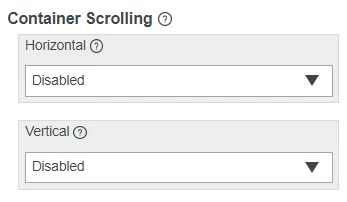
For the container I have disabled both horizontal and vertical scrolling as per the instructions.
jensc_2-1674734814897.png

Am I missing something? Will it, even though it is disabled, still scroll if the widgets within the container exceeds the size of the container?


Any help with this would be much appreciated.


Thanks,

Jens

Best answer by CharlesJi

Hi @jensc

I think you might try to give this container a bit more space, since the scrollbars will still show when the available space is smaller than the minimum widget size.

2 replies

CharlesJi16-PearlAnswer
16-Pearl
January 31, 2023

Hi @jensc

I think you might try to give this container a bit more space, since the scrollbars will still show when the available space is smaller than the minimum widget size.

jensc17-PeridotAuthor
17-Peridot
January 31, 2023

Hello,


Thank you for your response.

I can't make the container larger unfortunately, but I was able to move the widgets a little bit inside of the container which removed the scrollbar.


Thanks,

Jens

15-Moonstone
February 1, 2023

I just want to add an additional way if realignment and removing the margins of the widgets isn't enough:


You should be able to remove the scrollbars of a container (with custom class "no-scroll") with the following custom CSS snippet:

.no-scroll > .widget-container {
 overflow: hidden;
}