



1-Visitor
March 26, 2018
Solved

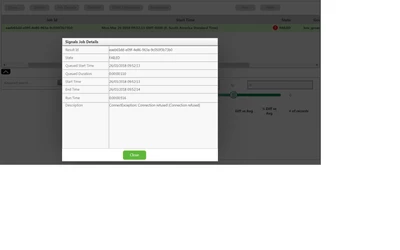
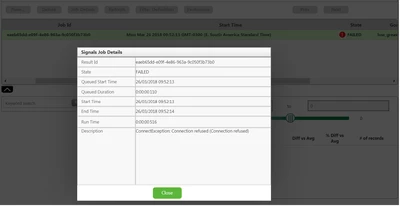
Create Signals and Profiles in Analyticsserver, Connection refused

  • March 26, 2018
  • 1 reply
  • 15651 views
Best answer by cmorfin

Hi Jessica


Thank you for that.

The docker ps output is the key here. It shows that the nginx container is running on port 9800 instead of the default port 80. This will happen if the port 80 is in use when you perform the installation.

You should be able to fix this by following the steps in https://www.ptc.com/en/support/article?n=CS273969

Note though only update the properties that already exist in your config files, do not add any. The above article was written in 8.1 and some properties were present that are not needed anymore in 8.2.


Kind regards

Christophe


1 reply

1-Visitor
March 26, 2018

I Don`t know what happens with the message.


Hi,  I Am testing the Analytic Trial, I make the CSV and JSON download from the developer site (Build a Predictive Analytics Model - analytics_vibration -   https://developer.thingworx.com/resources/guides/analytics-builder-quickstart/data-upload) and created a datat set.

When I Try to create a Signal or a Profile, It return failed. Connetion Refused.

The ThingWorx is the Trial version and I Am Running on DockerMachinePTC.

Thanks.

19-Tanzanite
March 26, 2018

Hi


Could you confirm that you are using ThingWorx Trial Edition that includes both the ThingWorx Platform and ThingWorx analytics all running within the same DockerMachinePTC . is that correct ?

Since you have docker machine, are you running Windows 7 ?

Could you post :

- the dockerps.txt output file created by executing the command docker ps -a > dockerps.txt

- the edge.txt output file created by executing the command docker logs edgems > edge.txt

- a zip of <UserProfile>/twx-analytics/logs

-ThingWorx ApplciationLog.log file


Also are you able to create a predictive model ?


Thank you

Christophe

1-Visitor
March 26, 2018

Hi,


Yes, I made the full installation, all together.

My windows is Windows 7 Ultimate SP1.


One Thing is weird, on Power Sheel when I use the commad "docker-machine ls" my machine Status is Timeout, when I open the Virtual Box My Machine Status is aborted, howerver I Can connet to ThinWorx Composer and when I click on "Verify Configurarion" on "Analytic Builder" the status is Ok.


The Files is attached.

I Am not familiar with DockerMachine, How can I extract the "AplicationLog.Log" from it?


I have the same error when I try to create the Signals, the profiles and the model.


Thanks.

Jessica