1-Visitor
July 29, 2019
Solved

Create top-right delete image button

Hi all,

Like the subject, I would like to create a top-right delete image button for value display widget (like the image below)
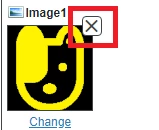
image.png

Is there any way to perform it?

Any help is appreciated.

Thanks!

zyuan1Answer
5-Regular Member
July 30, 2019

Which part is not clear?

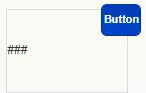
1. Overlap the Button widget with the ValueDisplay widget, put it in top-right corner.

   Capture.PNG

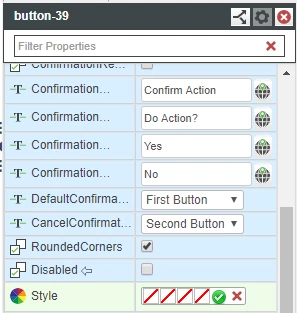
2. Change the Button Style with a X image  (I don't have that at hand, use another one)

1.PNG  In mashup it looks likeCapture.PNG

3. Figure out the "Close/ delete image" logic in a service and trigger it by this Button.  (Don't know how you want to delete image in ValueDisplay, so you need to do the customization yourself)

3 replies

5-Regular Member
July 30, 2019

Yes you can, the Button widget can overlap with the valueDisplay widget, and occupy the top-right part of the image.   

And then, you need to change the Button Style with a X image, and figure out the "Close/ delete image" logic in a service and trigger it by this Button.

Translate
Quannd1-VisitorAuthor
1-Visitor
July 30, 2019

Thank @zyuan1 , but could you explain more details for me? (An example maybe)

Translate
zyuan15-Regular MemberAnswer
5-Regular Member
July 30, 2019

Which part is not clear?

1. Overlap the Button widget with the ValueDisplay widget, put it in top-right corner.

   Capture.PNG

2. Change the Button Style with a X image  (I don't have that at hand, use another one)

1.PNG  In mashup it looks likeCapture.PNG

3. Figure out the "Close/ delete image" logic in a service and trigger it by this Button.  (Don't know how you want to delete image in ValueDisplay, so you need to do the customization yourself)

Translate