Best answer by Velkumar

Hi @Abhishek_Tirkey 


You can achieve using Custom CSS


Example :

CSS Code to change background color

.darkMode{
 background-color : black !important
}

.lightMode{
 background-color : white !important
}

 Based on toggle button state pass custom CSS class name to container. By this way you can achieve dark or light mode

Expression :

if (toogle === true){
 Output = 'darkMode';
} else {
 Output = 'lightMode';
}

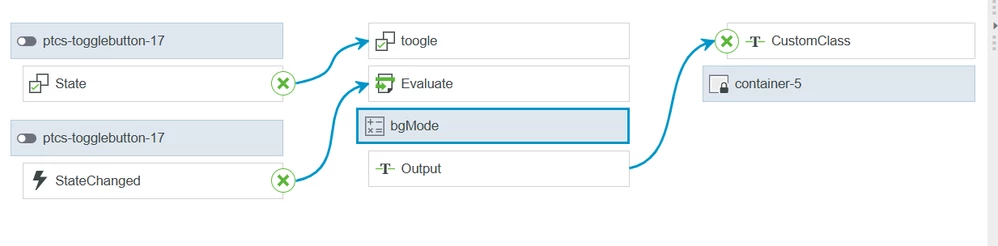
Bindings :

Velkumar_2-1739943053884.png

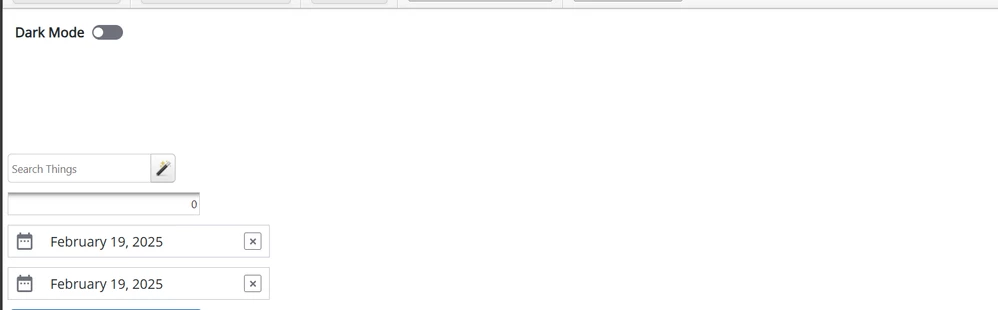
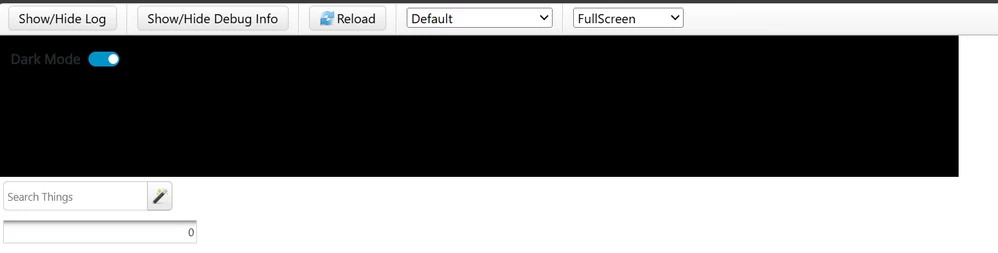
Result :

Velkumar_0-1739942918552.png

Velkumar_1-1739942962657.png


/VR


2 replies

Community Moderator
February 19, 2025

Hello @Abhishek_Tirkey,


Thank you for your question. 
I'd like to recommend to bring more details and context to your initial inquiry. 

Could you share the approach you have tried to implement Dark Mode and Light Mode in your dashboard?

It also helps to have screenshot(s) to better understand what you are trying to do in your process. 


This will increase your chances to receive meaningful help from other Community members. 

Regards,
Vivek N
Community Moderation Team.

Velkumar19-TanzaniteAnswer
19-Tanzanite
February 19, 2025

Hi @Abhishek_Tirkey 


You can achieve using Custom CSS


Example :

CSS Code to change background color

.darkMode{
 background-color : black !important
}

.lightMode{
 background-color : white !important
}

 Based on toggle button state pass custom CSS class name to container. By this way you can achieve dark or light mode

Expression :

if (toogle === true){
 Output = 'darkMode';
} else {
 Output = 'lightMode';
}

Bindings :

Velkumar_2-1739943053884.png

Result :

Velkumar_0-1739942918552.png

Velkumar_1-1739942962657.png


/VR


14-Alexandrite
February 19, 2025

Hi, @Velkumar , Thanks for the response 
I could not able to bind state with toggle
I am unable to locate toggle .

Abhishek_Tirkey_0-1739946660606.png


19-Tanzanite
February 19, 2025

@Abhishek_Tirkey  Have you created toggle input for your expression ?