10-Marble
April 3, 2023
Solved

DataExport widget changes the column formatting after export

  • April 3, 2023
  • 1 reply
  • 2248 views

I have an infotable (from SQL query and processed in JS) in which one column is "Serial number" which sometimes has pure number data type and sometimes it is alpha-numeric. and hence the column values is converted into varchar

When this infotable is provided to "DataExport" widget, it downloads a ".csv" file, which shows the "Serial Number" column formatting as "General" and hence the pure numeric values displayed as "2.303036E+13".
Where as it should show something like 2303601000059.

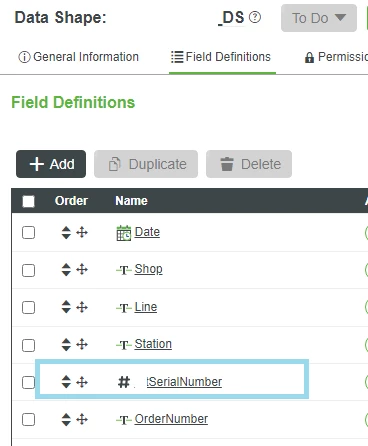
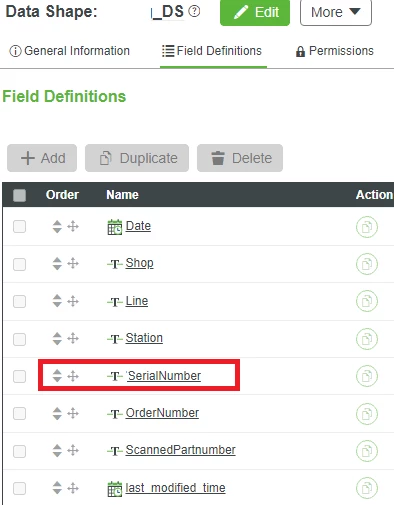
I tried the filed definition datatype as "Number" as well as "String", but getting the same result.
Please suggest a solution on this.


Please find the screenshots below.
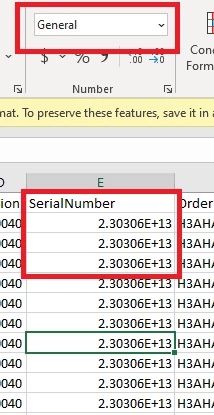
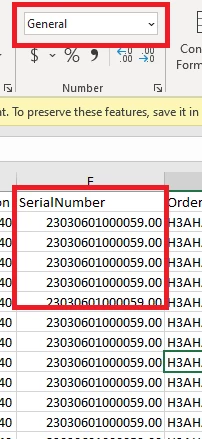

serialNumber When Column Formating is General.jpg.pngserialNumber when column formating is General.pngwhen field definition is Number.pngwhen field Def is string.png

Thank you


Best answer by wcui

I think thingworx write the correct content to csv file however it can not control how EXCEL render the format.

Our suggestion is either to directly use CSV file or set up beforehand how EXCEL handle the content.

Please let us know if you need any help for Thingworx side operation.


1 reply

17-Peridot
April 4, 2023

Hello,


If I'm not mistaken, it looks like that because excel automatically converts long numbers into scientific notation.

There are multiple ways to prevent this it seems.

You could perhaps try adding a " ' " before the number as per this article: https://hub.acctivate.com/articles/stop-excel-from-changing-numbers-to-dates 

But I think also it should change if you increase the column size manually in excel? I don't quite remember though.


Hope this helps you.


Regards,

Jens

10-Marble
April 4, 2023

Hi @jensc,
Thanks for your suggestion, I wish this workaround could work, but I tried with concatenating the number with " ' ".

But If I do so, two things are happening, 
1. Loosing Column name 

2. " ' " is visible in the column values
&
The column size in excel doesn't make any changes.

tried solution.png

17-Peridot
April 4, 2023

Hello,


Ah okay... 

Have you tried converting the decimal number into an integer before exporting it?'

In JS you can use: Math.floor(yourNumber) and in SQL you can use: CAST(@yourNumber AS INT)


I wonder if either the export widget or excel does some weird conversion for that.

Or when you used SerialNumber as a string, that's when the ".00" was added?

What is the original data type?


Regards,

Jens