
1-Visitor
July 2, 2019
Question

Disable the re-sizable column feature for grids

  • July 2, 2019
  • 1 reply
  • 1512 views

Hello All,


I am using an advanced grid on my mashup to show some data. 

I need to disable the re-sizable feature of columns on grids.


Below is the snapshot displaying the feature that I want to disable.Resize.png
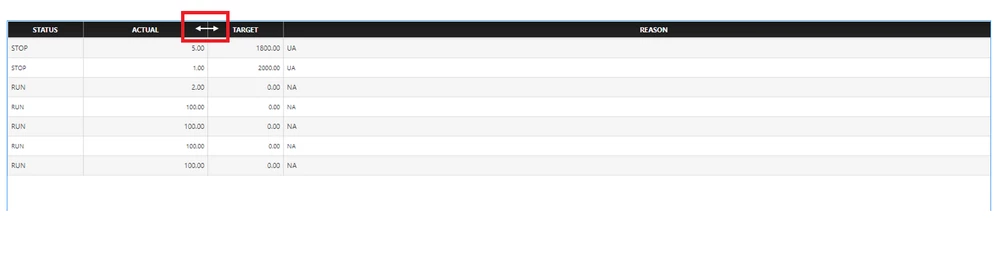
 

Is there any way besides building a custom widget, in which I can achieve this?


Thanks And Regards,

Madhumita

1 reply

20-Turquoise
July 2, 2019

You could configure it to a fixed size, pg 35 of the grid advanced documentation https://app-direct-www-cloudfront.s3.amazonaws.com/downloads/229413/AdvancedGridWidgetsExtension4.2.0.pdf

1-Visitor
July 4, 2019

Hi,


I tried setting static widths to the columns. Both using pixel width and percentage width options.

However, at run-time, the user is still able to resize the column-widths by dragging the edge of the column.


I want to disable the dragging feature. Is there any way we can do that?


Regards,

Madhumita