1-Visitor
January 15, 2018
Solved

Editing an grid?

  • January 15, 2018
  • 1 reply
  • 7495 views

HI,

Is it possible to edit a grid?

How can we do that?

Thanks,

V.Shalini.

Best answer by khayes1

Yes you can edit a grid. Once you have your grid and some data bound to it there are a number of steps to go through.

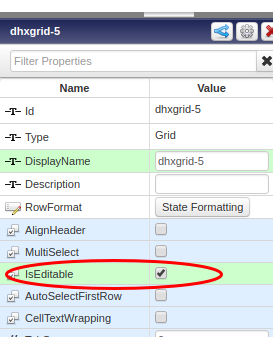
  • Make the grid editable in the properties bar
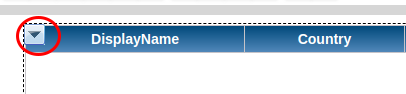
  • Next configure which columns you want to be editable via the drop down menu item on the grid widget. Select 'Configure Grid columns'.'
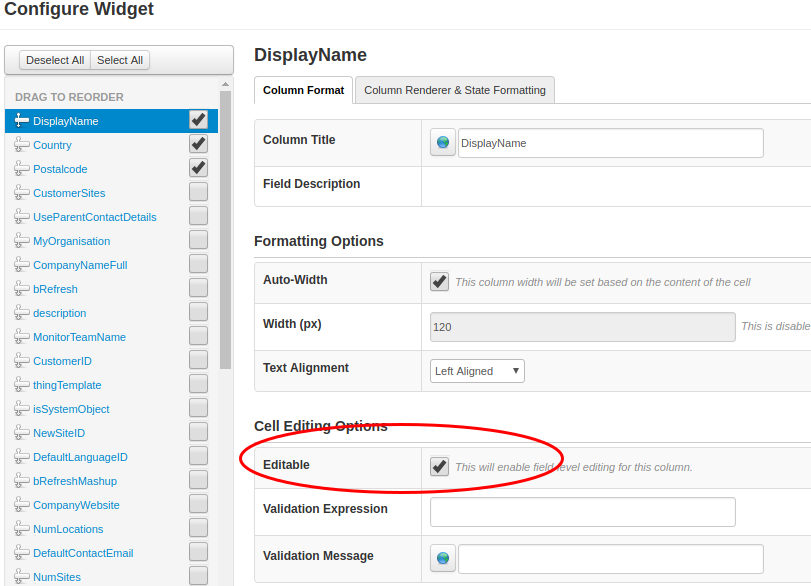
  • Tick the 'Editable' checkbox. You can add some validation if you want.
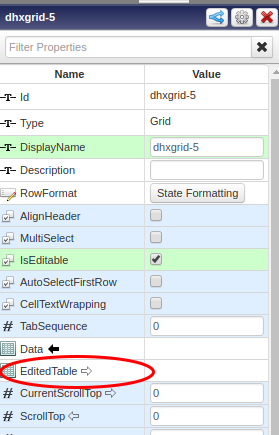
When you have finished your edit you will want to do something with the edited table. To do this you will have to write a service that has an infotable with the same datashape as the grid as an input parameter. To input the edited data you bind the  'EditedTable' property to the input parameter of your service.
  

Then use a button to trigger the update service.

1 reply

khayes11-VisitorAnswer
1-Visitor
January 15, 2018

Yes you can edit a grid. Once you have your grid and some data bound to it there are a number of steps to go through.

  • Make the grid editable in the properties bar

  • Next configure which columns you want to be editable via the drop down menu item on the grid widget. Select 'Configure Grid columns'.'
  • Tick the 'Editable' checkbox. You can add some validation if you want.

When you have finished your edit you will want to do something with the edited table. To do this you will have to write a service that has an infotable with the same datashape as the grid as an input parameter. To input the edited data you bind the  'EditedTable' property to the input parameter of your service.

  

Then use a button to trigger the update service.

1-Visitor
August 3, 2018

Hi,


This is helpful. Could you please explain the last part of your answer? How to bind the edited table to the service? How can I use a button to perform this? Thanks in advance.

1-Visitor
August 3, 2018

Hi,


assuming you have already

  • written your 'update' service which has an infotable as an input parameter (the infotable must have same datashape as your grid, )
  • Added the service to your mashup

then in the mashup composer click on the grid widget, and from the widget properties panel drag the 'EditedTable' property  onto the input parameter in your 'update' service. Now add a normal button to your mashup which calls your 'update'  service. Once your 'update' service has run you will probably want to call the service that populated the table originally again.