


Expand/Collapse Row in Collection Widget
Hello,
I'm attempting to create some animation (expand/collapse) of a row within the Collection Widget. Please reference the attached image. The goal is to expand/collapse the "Region" rows, with the ability to have multiple "Regions" expanded at the same time.
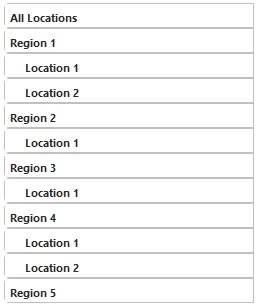
Is this even possible with the Collection Widget? I can't seem to find a way to create this functionality. I attempted utilizing the Visible property on the referenced mashup in the collection, but the collection still reserves the space when setting the mashup to invisible. I also attempted to dynamically rebuild the bound infotable only displaying the desired region when selected, but this redraws the collection and causes the selected row to reset when the new collection is generated.
Thanks in advance for any response!