
1-Visitor
June 2, 2021
Solved

Fail to bind remote thing

  • June 2, 2021
  • 1 reply
  • 1514 views

Hi All,

I  follow this guide(https://developer.thingworx.com/en/resources/guides/connect-kepware-server-thingworx-guide/bind-industrial-tag) to step 4 

In step 4, I found that the Industrial Thing I created was not connected to Kepware Server. 
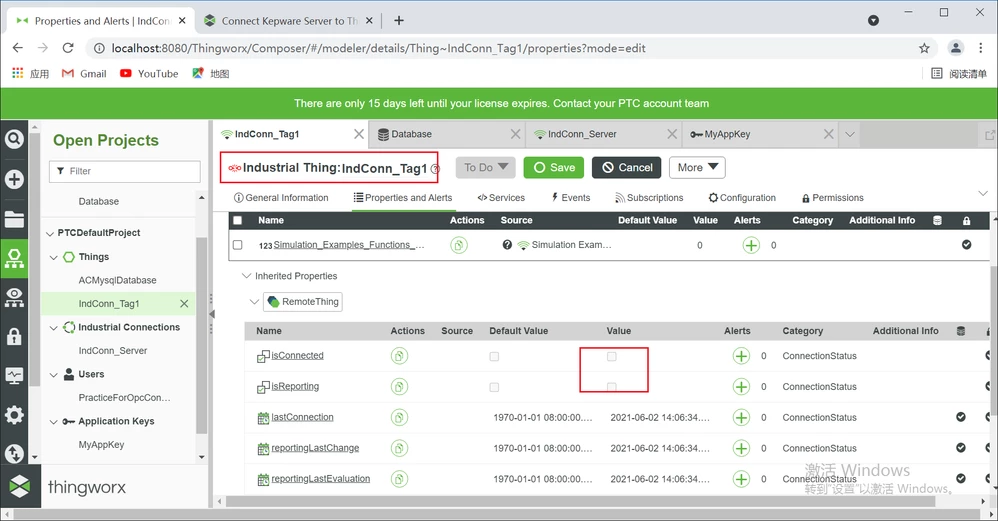
ZL_9884170_0-1622616695435.png

According to the Guide, I have set the Base Thing Template and Implement Shape of Industrial Thing 
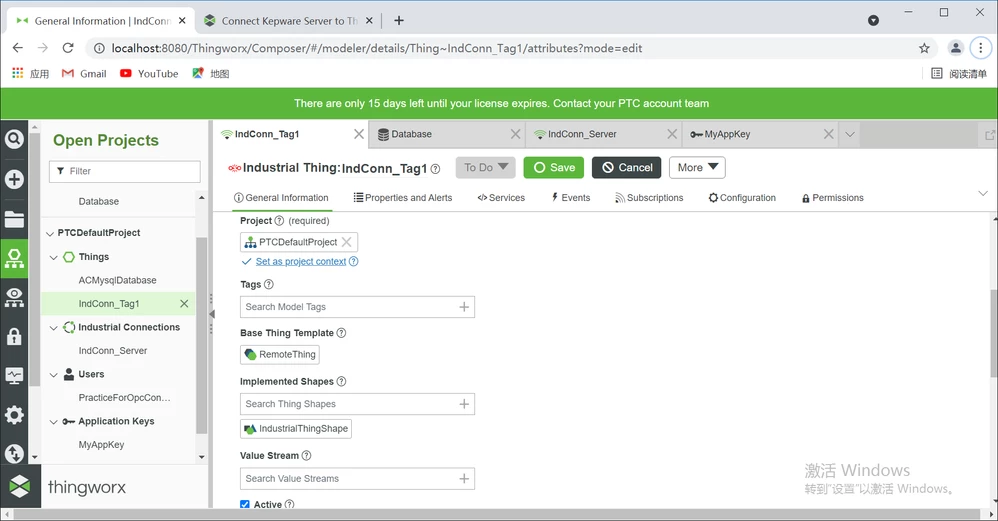
ZL_9884170_2-1622616959735.png

The thing used to connect Thingworx and Kepware server is also successfully connected.  I want to know why I operated completely according to the guide, but the industrial thing shows no connection. How should I solve this problem?
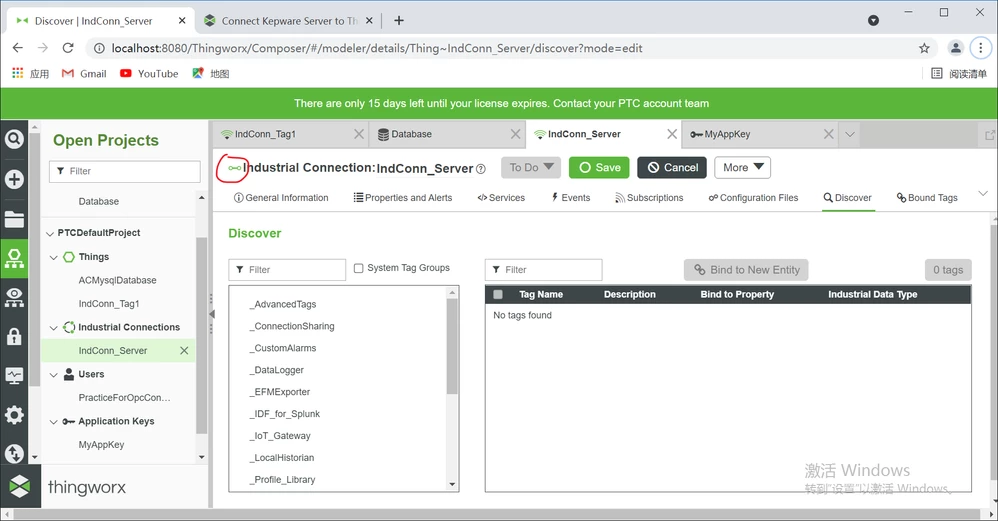
ZL_9884170_3-1622617102190.png


Best answer by ZL_9884170

Thanks for your answer, I already know why it went wrong. When I created the Application Key, I did not use Administrator as the User Name Reference. I created a new User but did not assign permissions to it, so the  new things I created cannot connect normally.

1 reply

5-Regular Member
June 2, 2021

Got to your Thing IndConn_Tag1 -> Properties. In the properties search for IndustrialThing, set the value of this property as IndConn_Server. It should connect after this.

ZL_98841701-VisitorAuthorAnswer
1-Visitor
June 3, 2021

Thanks for your answer, I already know why it went wrong. When I created the Application Key, I did not use Administrator as the User Name Reference. I created a new User but did not assign permissions to it, so the  new things I created cannot connect normally.