14-Alexandrite
August 19, 2025
Solved

FileUpload Widget does not work with iPads

  • August 19, 2025
  • 3 replies
  • 836 views

Hi Developers,


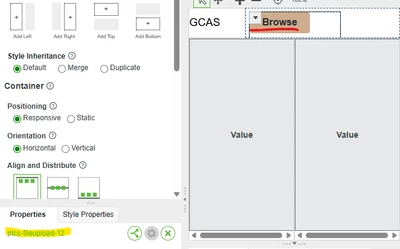
I created a mashup using a fileupload widget to capture and upload images.

the app will be used with iPads.
the Browse button works when we click the button with mouse.

however it does not work when we use a finger or apple pencil to click. ( just focus the button )


may I know how to solve this issue ?


development window
YoshihikoN_0-1755576053549.png

executed window

YoshihikoN_1-1755576296761.jpeg


Best answer by Rocko

There are already two other posts about the issue in the community:

https://community.ptc.com/t5/ThingWorx-Developers/FIleupload-widget-action-on-iPad-iPhone/m-p/903622#M63908

https://community.ptc.com/t5/ThingWorx-Developers/Fileupload-widget-issue-on-ThingWorx-9-3-running-on-iPad-iPhone/m-p/1026011


One is by you. There is no need to open a new thread with the same topic, you can discuss on the existing one.

Did you create a ticket with PTC Support two years ago, as it was suggested? What did they say? If you are on an unsupported version there is little chance you will get a fix for this. You can verfiy a newer version of ThingWorx or try the workaround suggested in the second link.

3 replies

Rocko
Rocko19-TanzaniteAnswer
19-Tanzanite
August 19, 2025

There are already two other posts about the issue in the community:

https://community.ptc.com/t5/ThingWorx-Developers/FIleupload-widget-action-on-iPad-iPhone/m-p/903622#M63908

https://community.ptc.com/t5/ThingWorx-Developers/Fileupload-widget-issue-on-ThingWorx-9-3-running-on-iPad-iPhone/m-p/1026011


One is by you. There is no need to open a new thread with the same topic, you can discuss on the existing one.

Did you create a ticket with PTC Support two years ago, as it was suggested? What did they say? If you are on an unsupported version there is little chance you will get a fix for this. You can verfiy a newer version of ThingWorx or try the workaround suggested in the second link.

18-Opal
August 21, 2025

You can check if it breaks in the same way with Safari on macOS (on a desktop Mac). If it does -- you can then troubleshoot it via Safari DevTools, and with a bit of luck monkey-patch it in runtime. Unless I was a strong frontender and had a lot of free time, I wouldn't do this.

Support
August 29, 2025

Hi @Yoshihiko.N ,

It appears that there are some answers to your question.  For the benefit of other Community Members who may have the same question, it would be great if you could designate it as the Accepted Solution.

In the event that this response did not answer your question, please post your current status so that we can continue to support.

Thanks for using the PTC Community!

Regards,


Charles