
Solved
Grid widget simple filter box - how does it work?
I can't find an explanation of how this filter works in order to explain to users how to use it. If I type "abc" into it will it return all rows where any cell has a value starting with abc?
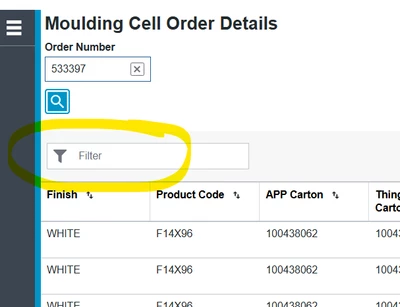

I can't find an explanation of how this filter works in order to explain to users how to use it. If I type "abc" into it will it return all rows where any cell has a value starting with abc?
thanks Rocko, but I'm not having issues with it working. As I type values into the filter box the grows in the grid are indeed being filtered.
What I didn't understand is how the value typed into the box was being used by thingworx to filter the grid. I mean, I could type "WHITE" into the filter and magically only rows having Finish Color = WHITE and then if I type F14 in the filter, the grid would update and only show rows having Product Code that starts with F14. I didn't understand how thingworx knew which field I wanted it to filter on.
Like I asked in my initial post, I was guessing it was filtering on every column. So, if any cell has a value starting with the values I type into the filter, that row would be displayed. I did a lot more testing and found that it does filter every column but the row is displayed if any cell "contains" my value, not just "begins with". I guess this type of filtering is broadly termed "Simple Search" or "Linear Search" or "Sequential Search". I learned something! Now I understand why "Simple" is included in the heading in the help center "Adding Simple Filter Box".
Enter your E-mail address. We'll send you an e-mail with instructions to reset your password.