
1-Visitor
September 25, 2019
Question

How can we filter specific rows of infotable based on timestamp

  • September 25, 2019
  • 1 reply
  • 5310 views

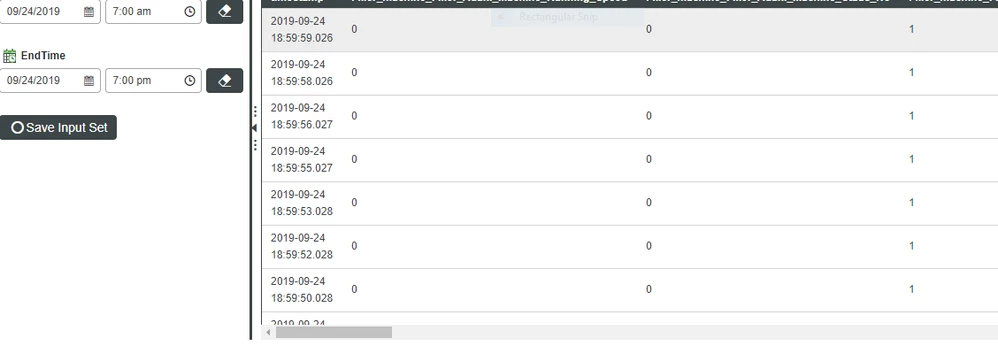
I have an infotable with nearly 1000 entries and the column headers are named as Timestamp, Field1, Field2, Field3, Field4, Field5, Field6, Field7, Field8, Field9, Field10. My requirement is that: If Field2, Field4 and Field6 are having the same value (say 0), it should fetch the time when all the 3 fields turned 0. Also, it should calculate the duration of how long all the 3 fields were in same value state. I will attach a screenshot showing the sample infotable with values. Please provide a solution for this usecase. Thanks in advance.


Starttime                               Timestamp Field1                                                    Field2                                                Field3filter_Table.PNG


Thanks in Advance,

Gurudev

1 reply

1-Visitor
September 25, 2019

Hi,


try this,


var query = {
"filters": {
"type": "AND",
"filters": [
{
"fieldName": "Field2",
"type": "EQ",
"value": "0"
},
{
"fieldName": "Field4",
"type": "EQ",
"value": "0"
},
{
"fieldName": "Field6",
"type": "EQ",
"value": "0"
}
]
}
};

var param = {
t: yourInfotable /* INFOTABLE */,
query: query /* QUERY */
};
result = Resources["InfoTableFunctions"].Query(param);


it will filter the infotable as you expected, then calculate the time interval from Timestamp.


regards,

Janakiraman


1-Visitor
September 25, 2019

@Janakiraman-P ,


Thank you for your response.


We tried out this approach. But, we are getting "No data" in the resultant infotable.


What might have gone wrong? But there are fields in our table with similar values. 


Also, we would like to add

Field1 is taking integer value(0 or1)

Field2 is taking Boolean value (true or false)

Field3 is taking again integer value (0 or 1).


So do we need to change the filter again that matches with the base type of each field name?


Thank you.


Regards,

Airin

1-Visitor
September 26, 2019

Hi,


The above filter should work.

in your case,

for Boolean, 'true' or true or 1 similarly 'false' or false or 0 are applicable values.

for Integer, '0' or 0 .


if you still facing issue, post your code.


regards,

Janakiraman P