7-Bedrock
September 10, 2023
Solved

How to add a progress bar in a grid column?

  • September 10, 2023
  • 1 reply
  • 4177 views

Hello community.


I would like to have a progress bar as a column in a grid widget based on a percentage value from 0-100, how can I do that?

I am aware that progress bars could be done by a shape widget, so perhaps it could be possible to have a column as a shape that can take a value?


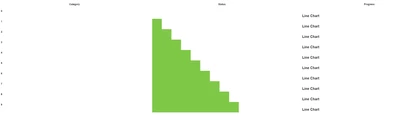
The goal is to have the grid look like this:


SE_10735050_0-1694330755144.png


Thank you in advance!


Best answer by Velkumar

Hi @S_Elsayed 


Sure I will upload project entities so you can import them in your env.


Please follow the below steps :


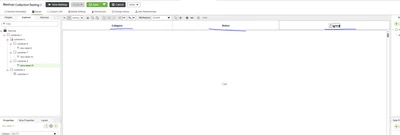
1. Create a ParentMashup and place header label and collection widget
 

Velkumar_0-1694409900148.png


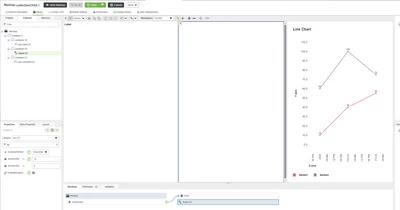
2. Create ChildMashup for collection widget with Label and Shape Widget


Note: DO NOT CALL ANY SERVICE OR CREATE ANY FUNCTION IN CHILD MASHUP.  (Which will affect the performance of the app )
 

Velkumar_3-1694410059066.png


3. Create Mashup Parameters in ChildMashup. Mashup Parameters will pass data from ParentMashup to ChildMashup
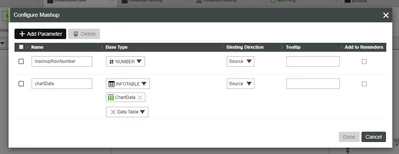
Velkumar_14-1694411075840.png


More about Mashup Parameters -  Configuring Mashup Parameters (ptc.com) 


4. Bind Mashup Parameters to Shape Widget and Label 

Velkumar_15-1694411126576.png


Velkumar_16-1694411139115.png


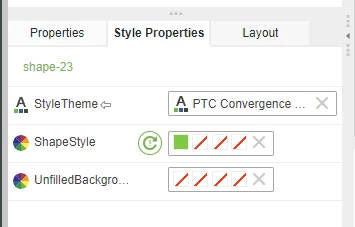
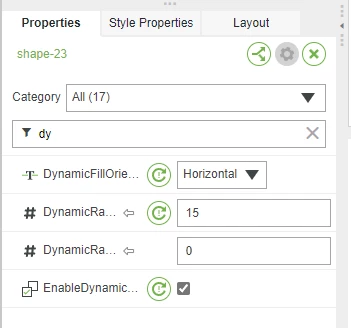
5. Enable Dynamic filling in Shape Widget and Set Dynamic filling maximum limit 
Velkumar_7-1694410333483.png

Velkumar_8-1694410344859.png


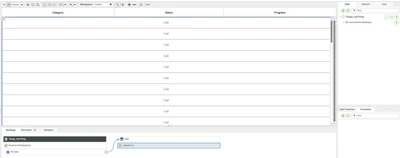
6. In parent Mashup, pass data to the collection widget from your service
 

Velkumar_9-1694410540228.png


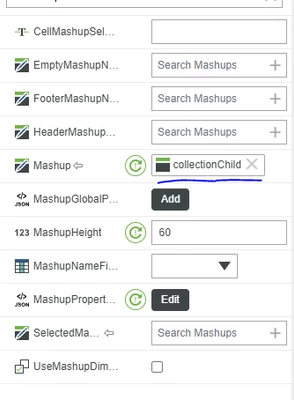
7. Set Mashup property value as your childMashup which you created in step 2
Velkumar_10-1694410774345.png

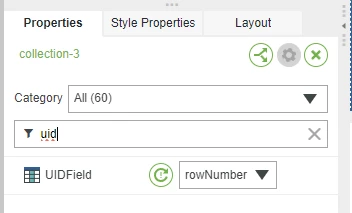
8. Set UID Field which should be unique for each row. In my example I have set rowNumber as UIDField which is unique for each row
 

Velkumar_11-1694410815582.png


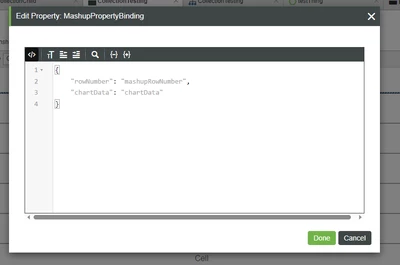
9. Configure Mashup Parameter JSON to pass data from service to childMashup
Velkumar_13-1694411031363.png

In Mashup Parameter JSON, the key should be dataFieldName from Service and the value should be Child Mashup Parameter name


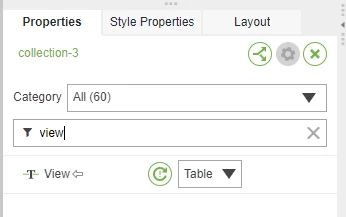
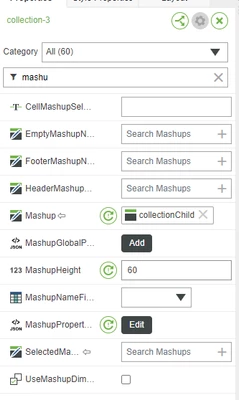
10. Set Mashup height to 60px (each row height) and View Type to Table in the Collection Widget property
Velkumar_17-1694411264113.png

Velkumar_18-1694411276058.png


The result should look like this :

Velkumar_19-1694411306270.png


I have attached example entities for your reference.


/VR

1 reply

19-Tanzanite
September 10, 2023

Hi @S_Elsayed 


You can use the collection widget as a Table to place a progress bar/shape. We cannot place a progress bar/shape in the Grid Widget.


/VR

S_Elsayed7-BedrockAuthor
7-Bedrock
September 10, 2023

Thank you Velkumar.


Could you please elaborate on how I can use a collection widget for this? There are many configurations for the collection widget, so I am not quite sure how to use it even after checking out the docs.

19-Tanzanite
September 10, 2023

Hi @S_Elsayed 


Check here for the collection widget property definitions - Collection Widget (ptc.com)


To make the collection widget look like a Table / Grid.


In Collection Property, set View as 'Table'


Velkumar_0-1694338718200.png


Set your mashup height as per requirement. 


Mashup will look like this in runtime :


Velkumar_1-1694338780064.png


/VR