

Solved
How to add value to the inside of the tree to other controls
Hello, everyone
I want to click on the tree control, the selected value send to another control. How do I implement?
Thank you very much!
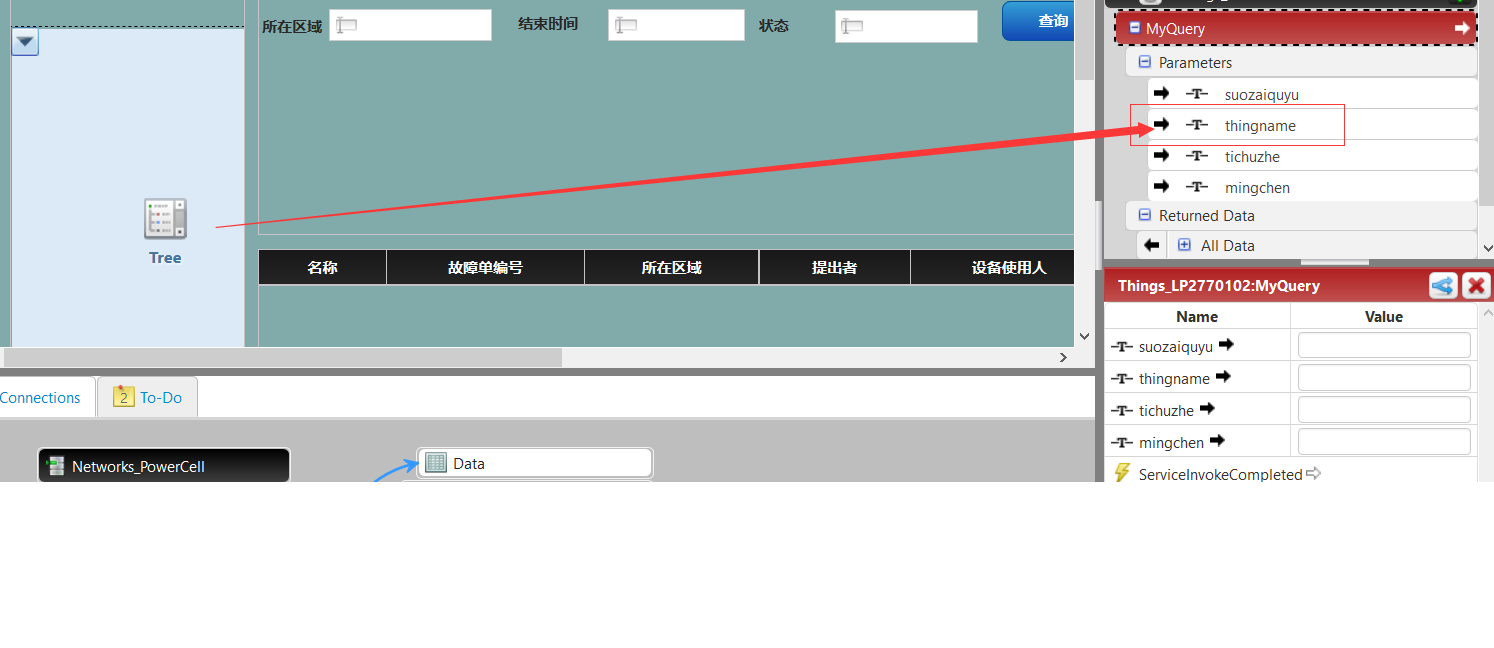

Hello, everyone
I want to click on the tree control, the selected value send to another control. How do I implement?
Thank you very much!
Hi Mr. Liang,
There must be a service that bounded with tree widget, and usually this service has a selected rows column. Please just bind the selected rows to aimed control.
Any concern, just let me know.
Lily
No account yet? Create an account
Enter your E-mail address. We'll send you an e-mail with instructions to reset your password.