1-Visitor
July 24, 2021
Solved

How to bind data export widget?

  • July 24, 2021
  • 2 replies
  • 1643 views

Hey,

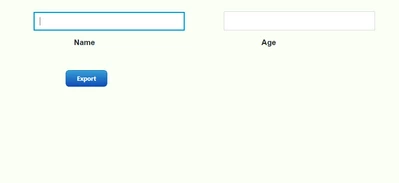
I have attached a screenshot below in which I have created a mashup with 2 text fields namely "Name" and "Age".  I want to record the data entered by the users and export the recorded data in form of CSV file when the user clicks on the data export widget. Can anyone please guide me through the procedure and bindings to be used for this? 
 

DG_9962969_0-1627104821152.png


Best answer by nmilleson

@DG_9962969 ,


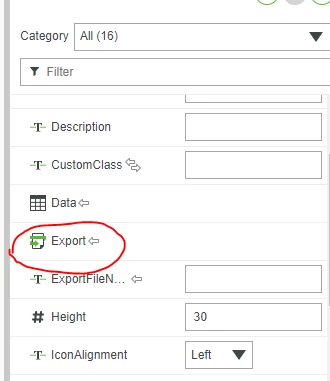
It sounds like you need to run a service to add your new values to an infotable first like @PaiChung mentioned.  Instead of using the "Data Export" widget directly, use another button to trigger a service that creates an infotable, and then, when that service executes successfully, bind that event to the Data Export widget (see screenshot) and just set the Data Export widget to 'not visible'


nmilleson_0-1627392325406.png


--Nick


2 replies

22-Sapphire I
July 26, 2021

The information that is bound to the Data Export widget has to be an infotable. It will then automatically produce a csv download for you.

nmilleson17-PeridotAnswer
17-Peridot
July 27, 2021

@DG_9962969 ,


It sounds like you need to run a service to add your new values to an infotable first like @PaiChung mentioned.  Instead of using the "Data Export" widget directly, use another button to trigger a service that creates an infotable, and then, when that service executes successfully, bind that event to the Data Export widget (see screenshot) and just set the Data Export widget to 'not visible'


nmilleson_0-1627392325406.png


--Nick