
18-Opal
January 25, 2018
Solved

How to check imported Extension?
  • January 25, 2018
  • 4 replies
  • 3541 views

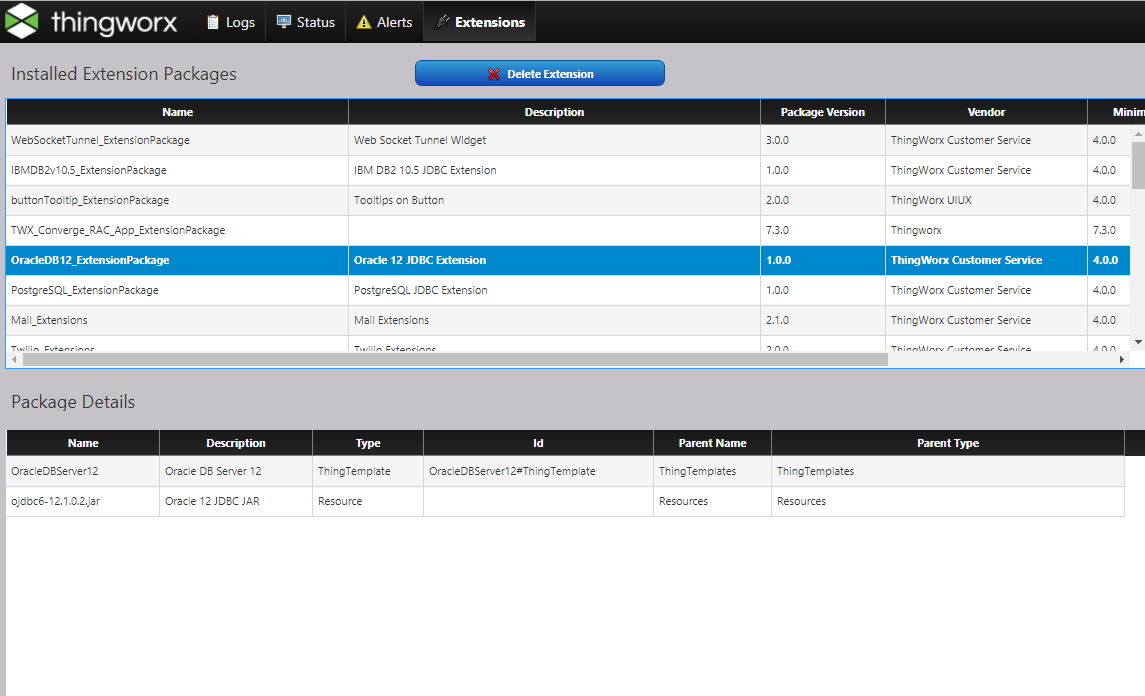
Not looking at the extension package as pictured above.

Is there a way to easily identify what extensions are included?

For example, MQTT Extension, utillity Extension.

Because it is hard to figure out which extensions were used to migrate the data.

thank

Best answer by aseaton

Hi Seonho,

I think that the view you have in the image is the best way to check which extensions are included in your system but another way to check in to go to the following directory:

C:\ThingworxStorage\extensions

Or similar in your case, this folder should contain all of the extensions included in your system.

Regards,

Andy

4 replies

aseaton12-AmethystAnswer
12-Amethyst
January 25, 2018

Hi Seonho,

I think that the view you have in the image is the best way to check which extensions are included in your system but another way to check in to go to the following directory:

C:\ThingworxStorage\extensions

Or similar in your case, this folder should contain all of the extensions included in your system.

Regards,

Andy

CHASEONHO18-OpalAuthor
18-Opal
January 28, 2018

Hi, Andrew.

Is it possible to export an extension list of C: \ ThingworxStorage as a zip file and then import it to get all the existing extensions?

thanks

12-Amethyst
January 29, 2018

I tested this and found it to be unsuccessful, not sure if there is a way Pai Chung​?