


How to connect TMP36 Analog Temperature Sensor with ThingWorx.
Hi,
Today I was going through one of the QuickStart Guides: https://developer.thingworx.com/resources/guides/thingworx-raspberry-pi-quickstart/
Where ThingWorx team has used Adafruit DHT11 Temperature Sensor to connect it to Raspberry Pi.
But in place of that I have TMP36 Analog Temperature Sensor and Arduino Uno. As Raspberry Pi cannot read/convert analog values into digital values, I have attached the sensor to Arduino and than connect it to Raspberry Pi.
In Arduino I have used this:
const int temperaturePin = 0;
void setup()
{
Serial.begin(9600);
}
void loop()
{
float voltage, degreesC;
voltage = getVoltage(temperaturePin);
degreesC = (voltage - 0.5) * 100.0;
Serial.print("Temp=");
Serial.println(degreesC);
delay(1000);
}
float getVoltage(int pin)
{
return (analogRead(pin) * 0.004882814);
}
Python Script that I have place in /microserver/ArduinoTempSensor/ArduinoTempSensor.py is:
#!/usr/bin/python
import serial
import time
ser = serial.Serial('/dev/ttyACM0', 9600, 8, 'N', 1, timeout=5)
while True:
if ser.inWaiting > 0:
print(ser.readline())
and in PiTemplate.lua file, I have added these lines as mentioned:
1) properties.temp = { baseType="NUMBER", pushType="ALWAYS", value=0 }
2) local sensorCmd = io.popen("./ArduinoTempSensor/ArduinoTempSensor.py")
3)     -- set property temp
local sensor = sensorCmd:read("*a")
log.debug("[PiTemplate]",string.format("raw sensor %s", sensor))
s = string.match(sensor,"Temp=(%d+\.%d+)");
log.debug("[PiTemplate]",string.format("scaled temp %.1f", s))
properties.temp.value = s
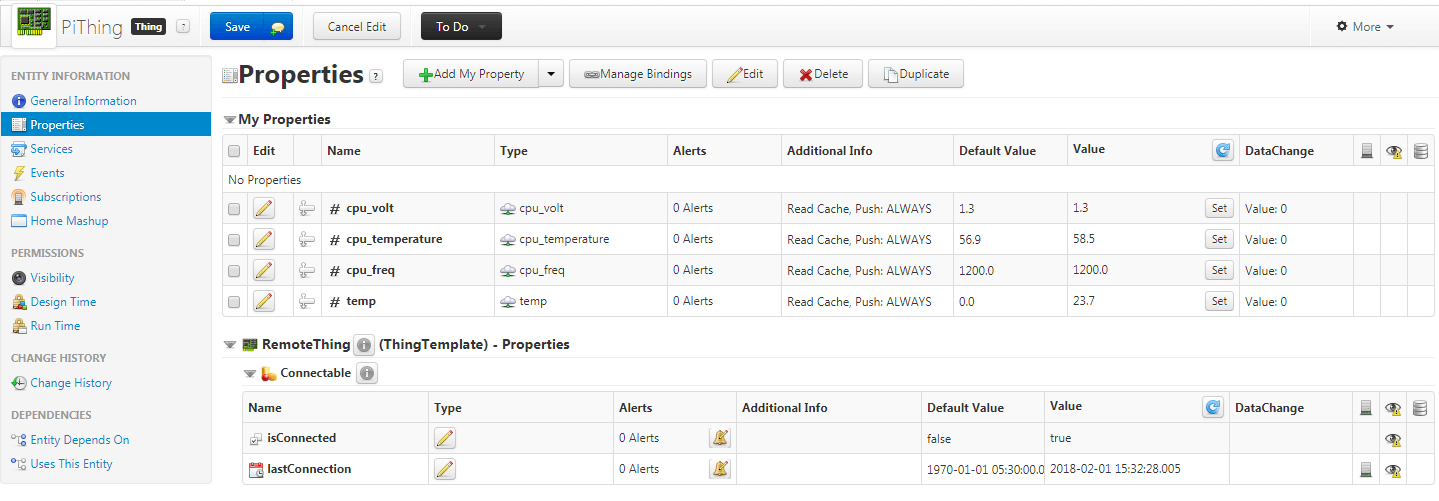
This far I have gone but results are not so good. The values got updated but only once, after that it is not getting refreshed or new values.
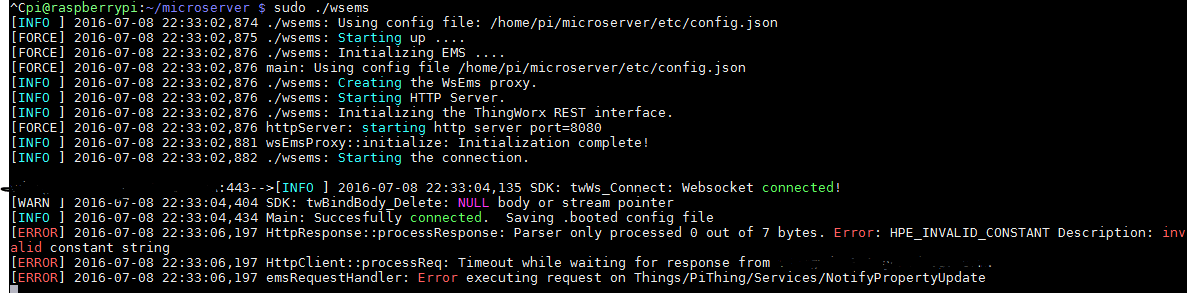
Errors that I am getting while running EMS is:
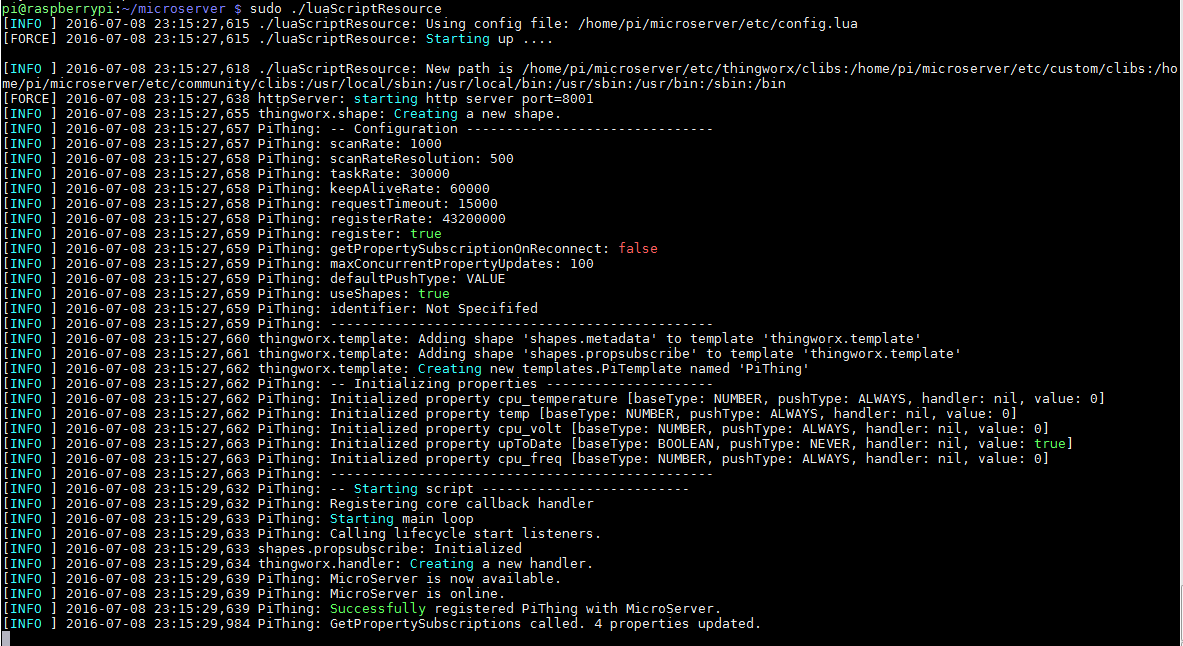
While running Lua Script:
Regards,
Shashank