

1-Visitor
April 1, 2020
Question

How to customize date in Bar Chart

  • April 1, 2020
  • 2 replies
  • 1345 views

Hi everyone.


I am using the Custom Chart Widgets v3.0.1 from marketplace.


I would like to change the date format.


In the moment the date is like:
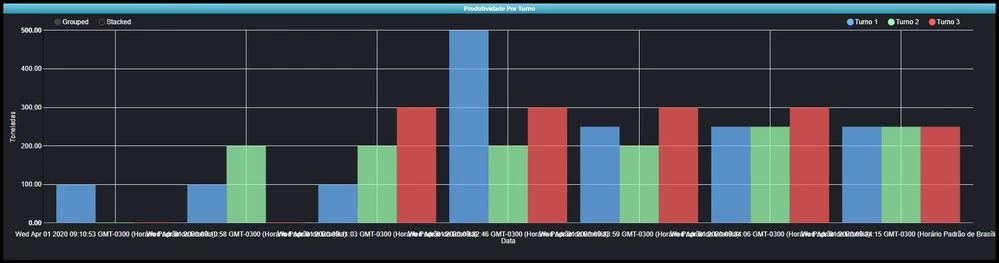
BarChart.JPG


Você pode observar que a data esta muito longa. Quero um formato simples (MM / DD / AAAA)

2 replies

22-Sapphire I
April 1, 2020

Easiest would be to format it before returning it to the mashup in your service.

you can also take a look at the localization tag which i believe determines date formatting to an extend.


Maybe even the chart x-axis format itself? I don't think it has this, but just wondering, since Grid would have it.

1-Visitor
April 2, 2020

Hi @PaiChung 


I'm sorry, but how to find the "localization tag"?

22-Sapphire I
April 2, 2020

There should be something like: dateTimeFormat_Default 

In the localization tables

5-Regular Member
April 2, 2020

In Timeseries Chart we have XAxisFormat that you can change the timestamp format you want to present


In Bar Chart, there is only a LabelAngle that allows you to have more space for the time property.


While if you use Label chart - Bar style, set

XAxisField - time property; 

XAxisLabelType - Date/Time; 

XAxisFormat - dd-MM hh:mm  or other style

You can have the right chart you want.