16-Pearl
September 15, 2020
Solved

How to display bars by ascending/descending values in a bar chart

  • September 15, 2020
  • 2 replies
  • 2816 views

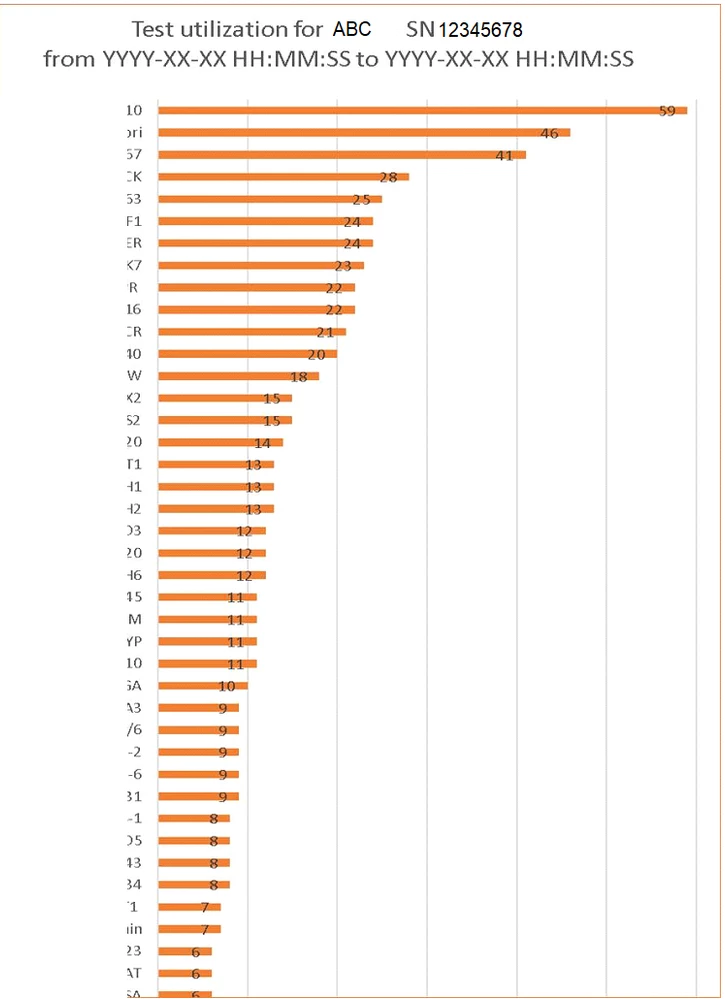
I need a bar chart to display bars by ascending/descending values.  The values fluctuate so I can't set the bars in static order.

Is it possible to get the bar chart widget to display the bars by ascending/descending values?

I looked at the widget properties, but I didn't see an option to set this.


Please see the following example from MS Excel:
Thingworx - 2020-09-15 - Horizontal Bar Chart.PNG

Best answer by Willie

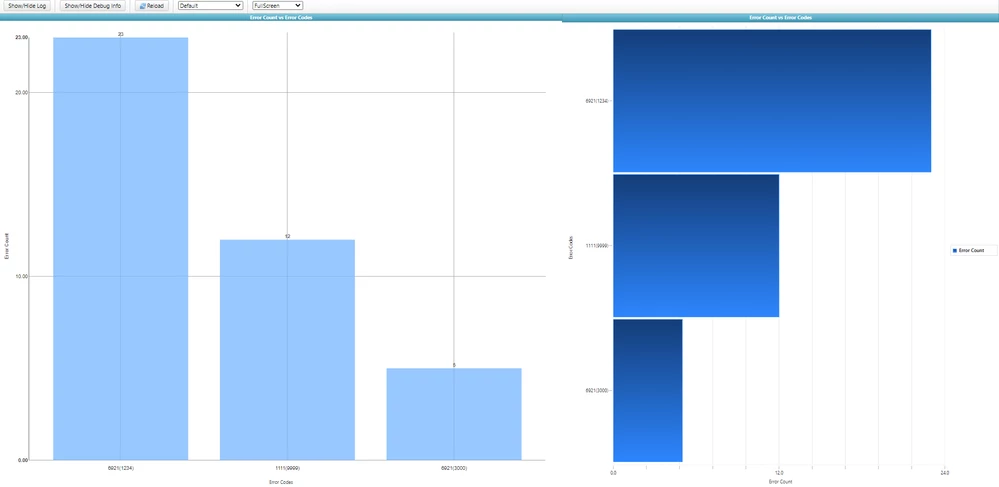
I was able to figure it out after my earlier post.  Instead of setting many data fields, I set only 1 data field.  This way, I can sort the data in my service.  When I use the label widget, I'm unable to display the value on top of the bar.  Is there a property in the label widget to set this?  I was unable to find this setting.  Also, is there a way to remove the decimal places in the y-axis and grid in bar chart widget?


Please see the charts below.  The label widget is on the right.  Bar char widget is on the left.

Thingworx - 2020-09-15 - Bar Charts.PNG

2 replies

17-Peridot
September 15, 2020

@Willie ,


Can't you just perform a sort on your infotable before it is returned to the mashup?


Willie16-PearlAuthorAnswer
16-Pearl
September 15, 2020

I was able to figure it out after my earlier post.  Instead of setting many data fields, I set only 1 data field.  This way, I can sort the data in my service.  When I use the label widget, I'm unable to display the value on top of the bar.  Is there a property in the label widget to set this?  I was unable to find this setting.  Also, is there a way to remove the decimal places in the y-axis and grid in bar chart widget?


Please see the charts below.  The label widget is on the right.  Bar char widget is on the left.

Thingworx - 2020-09-15 - Bar Charts.PNG

17-Peridot
September 15, 2020

For the bar chart, I actually had to modify the widget code to change the number of decimal places.  If you look in barChart.runtime.js, you'll find this line:


chart.yAxis.tickFormat(d3.format('.02f'))


Just change that to your desired format, or if you want it to be flexible, create another widget property and tie it to that format. 

Community Manager
September 24, 2020

Hi @Willie.


If you feel your question has been answered, please mark the appropriate response as the Accepted Solution for the benefit of others with the same question.


Thank you for your participation in our community!


Regards.


--Sharon