1-Visitor
October 11, 2019
Question

How to display data in grid from csv file

  • October 11, 2019
  • 3 replies
  • 1710 views

i have used a file upload widget and upload a .csv file but i'm unable to display the data in a grid.

unable to write the exact service.
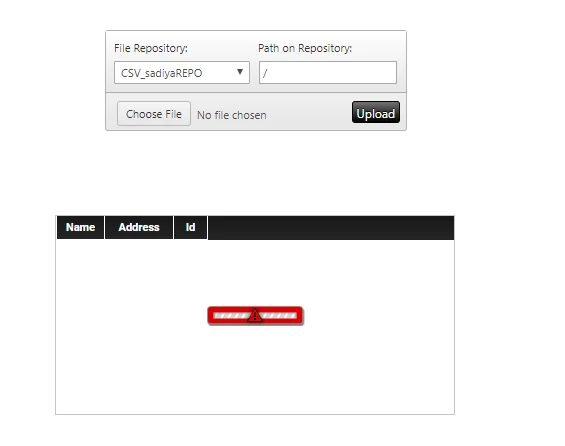
csvvv.png

3 replies

19-Tanzanite
October 11, 2019

Hi @sadiya 


If you know the structure of the csv file before hand, you can use the CSVParser extension .

Create a service similar to 

var params = {
path: fileName /* STRING */,
columnMappings: 'Name;Address;Id' /* STRING */,
hasHeader: true /* BOOLEAN */,
fileRepository: "SystemRepository" /* THINGNAME */,
fieldDelimiter: "," /* STRING */,
dataShape: "ImportUsers" /* DATASHAPENAME */
};

// result: INFOTABLE
var result = Resources["CSVParserFunctions"].ReadCSVFile(params);


The ImportUsers datashape will have the 3 fields  Name;Address; Id.


Then set the FileUpload widget FileUploadComplete event to trigger the service.

Map the all Data return value of the service to the grid.


Hope this helps

Christophe


16-Pearl
October 21, 2019

@sadiya 


Also, you can take a look at this article https://www.ptc.com/en/support/article?n=CS255612


If you were able to resolve your issue, please post it here and mark it as the Accepted Solution for the benefit of others on the community.  If you are still experiencing issues, please do let us know your questions or concerns.


Thanks,

Vibhuti


1-Visitor
October 25, 2019

Thank you for all your advice. 

google street view
