1-Visitor
May 29, 2017
Solved

How to fill a list-widget with content depending on another list widget

  • May 29, 2017
  • 1 reply
  • 9479 views

Hey everyone!

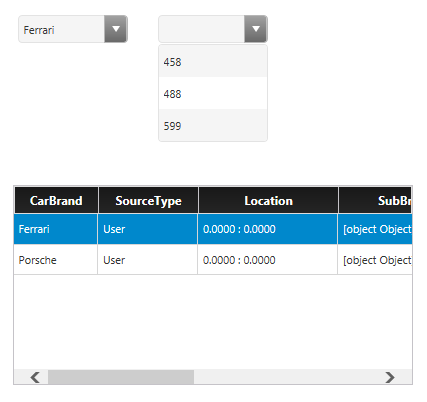
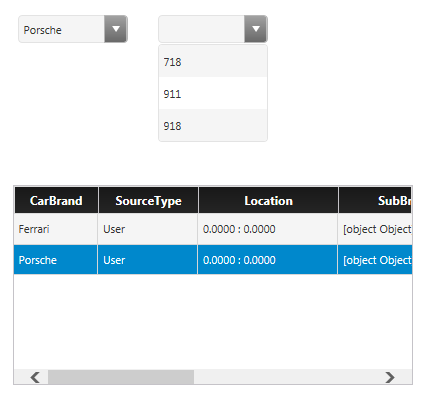
I am currently working on a mashup in which I have to list-widgets as shown below.
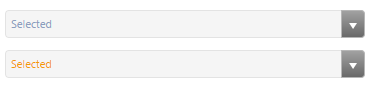
The first list-widget has two elements, for example: Ferrari and Porsche

Depending on which element is selected, the second list-widget should be filled with a pre-defined list of either Ferrari-car-tag or porsche-car-tags.

It is like a filter mechanism.

Is this even realizable and how?

Thank you as always for your help

Best regards,

Theresa
Best answer by zyuan1

Hello Theresa,

Here is how I solve the problem:

1. create a datashape with 2 fields: String and Infotable. The first String is for main brands like Ferrari, the infotable (holding Strings) is for sub-brands.

2. Create a Datatable based on the datashape and add values inside

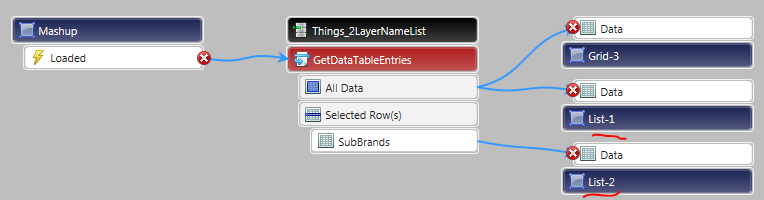
3. Create a Mashup, import the Datatable - GetDataTableEntries service, bind All Data to first List, bind Selected Rows to second List

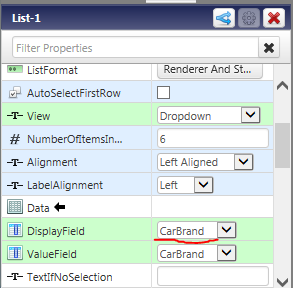
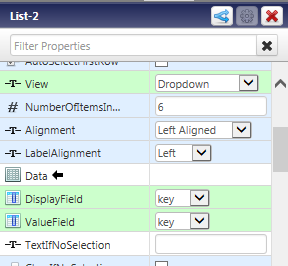
4. Choose related fields in different List widget


5. View mashup, it would work


1 reply

zyuan15-Regular MemberAnswer
5-Regular Member
May 31, 2017

Hello Theresa,

Here is how I solve the problem:

1. create a datashape with 2 fields: String and Infotable. The first String is for main brands like Ferrari, the infotable (holding Strings) is for sub-brands.

2. Create a Datatable based on the datashape and add values inside

3. Create a Mashup, import the Datatable - GetDataTableEntries service, bind All Data to first List, bind Selected Rows to second List

4. Choose related fields in different List widget


5. View mashup, it would work


1-Visitor
May 31, 2017

hey Ryan Yuan​,

first of all, thank you so much for your detailed answer!

I have one question left:

As you suggested, I have added a Data Table-Thing and am now trying to fill the data table with my static values:

I can add the Brands (ferrari and porsche) without problems, but how can I add the subbrands?

best regards,

Theresa

5-Regular Member
May 31, 2017

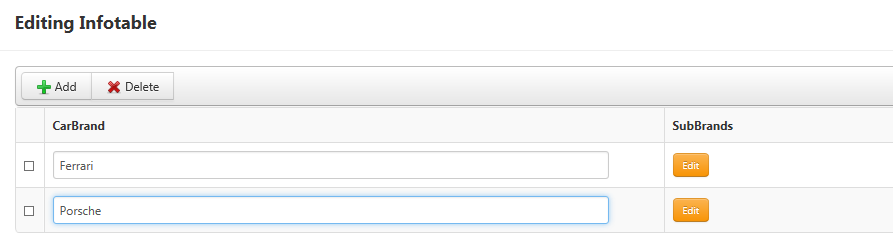
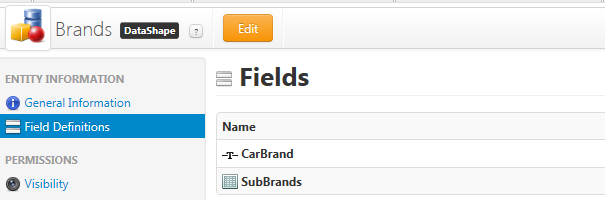
As you can see in the first picture, when I created the Datatable, firstly I created a datashape used in here.

The CarBrand is a String shaped property, it can hold Ferrari

The SubBrands is a Infotable shaped property, and it looks like the New Field part I just added. This Infotable is a little table that can holds a list of data, and you need to assign another Data Shape for this Infotable. In the Demo I showed you, the SubBrands field contains a Key field to hold numbers, and I put detailed versions inside.

This image I posted comes from AddDataTableEntries service (default) in the entity

The little Orange Button with Edit in the picture means this field is a Infotable shaped property, and you need to click to open and add data inside.