

1-Visitor
October 9, 2018
Solved

How to get a SQL Query result as an integer

  • October 9, 2018
  • 1 reply
  • 5861 views

I am using a SQL query that looks something like this:

SELECT COUNT(*) FROM Location 

When I test it, I get the following:
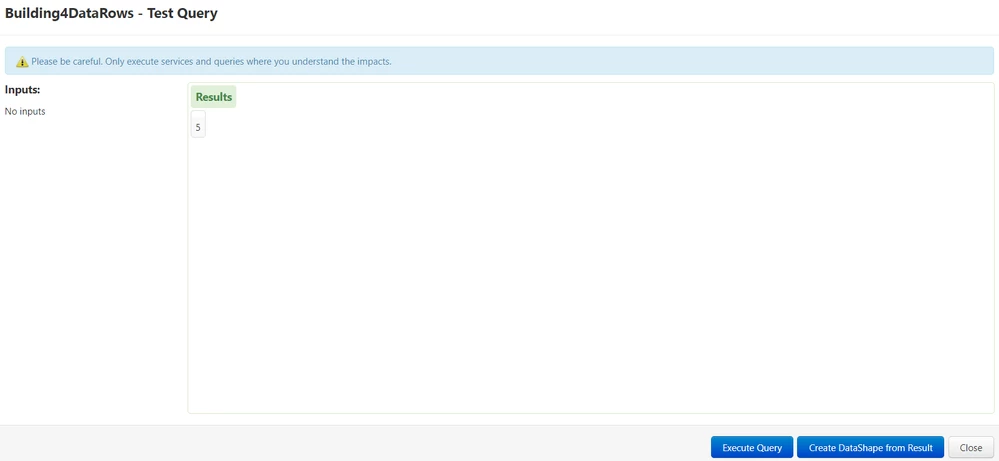
Capture.PNGHow do I get that as an integer datatype? Because I need to bind this value to a label widget or any widget that displays values. 


I have tried changing the output basetype to integer and it still does not work.


Best answer by posipova

Can you try wrapping that service in another service and extract the result?

1 reply

20-Turquoise
October 9, 2018

Could you please clarify what error you are getting when you set it as an integer or number?

What is the output type in the screenshot you provided?

leeejw7171-VisitorAuthor
1-Visitor
October 9, 2018

When I set it as an integer, it does not give me any errors, it just gives me the same result that is shown in the picture. (but, when I set it as an integer and save it, I see that the output basetype keeps going back to an infotable, which makes me think that this SQL query does not allow integer outputs) The output type in the screenshot I provided is supposed to be an infotable, but there is no columns.

posipova20-TurquoiseAnswer
20-Turquoise
October 9, 2018

Can you try wrapping that service in another service and extract the result?