
14-Alexandrite
Jun 6, 2023 11:27 AM UTC
Solved

How to look the mashup in a new window or a popup window when you click to expand it in TWX 9.3.0?

Hello ,

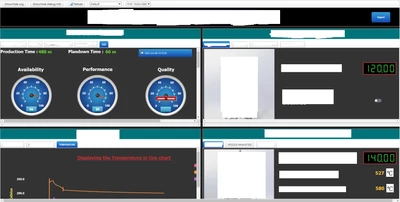
I am using Thing Worx 9.3.0 version I have created 4 separate mashups which is merged in a single mashup like the below image 
NH_shree_0-1686048423915.png

like this it is showing now , I need to scroll every time to see whole mashup so instead of scrolling I want to add a expand window button so that when I click on it it should show the particular mashup  in a expansion form either in a new window or in the same window , if anyone has a solution to this issue please help me out with this.


Regards,

Shree


VelkumarAnswer
19-Tanzanite
Jun 6, 2023 11:48 AM UTC

Hi @NH_shree 


You can use the Navigation function to view the mashup in a popup or new window


/VR

3 replies

Velkumar19-TanzaniteAnswer
19-Tanzanite
Jun 6, 2023 11:48 AM UTC

Hi @NH_shree 


You can use the Navigation function to view the mashup in a popup or new window


/VR

Translate
NH_shree14-AlexandriteAuthor
14-Alexandrite
Jun 7, 2023 6:00 AM UTC

Hello,

Thanks @Velkumar , I used navigation function and now I am able to navigate and open the mashup in the new window but , it is looking like this

n1.png


if i open in a new screen it should look in the centre of the screen  , is it possible to do like that so that the extra spaces should not be seen and the task bar also should not be seen , how to remove task bar above


If we open the mashup it will give us the option above like full screen , hd , fhd etc, so if we need FHD1920*1080 resolution can.t we make that resolution as fixed whenever it is opened .


Regards,

Shree 


Translate
19-Tanzanite
Jun 7, 2023 6:53 AM UTC

Hi @NH_shree 


The resolution option is just to view/test mashups in different resolutions.


You need to edit your mashup to display your content in the center always 


/VR

Translate