
Solved
How to preview PDF file in Mashup
Is there a way to preview a PDF file in a ThingWorx mashup without downloading it to the ThingWorx repository? The PDF file varies, and we need to display a specific page in the preview.
Thank you in advance!

Is there a way to preview a PDF file in a ThingWorx mashup without downloading it to the ThingWorx repository? The PDF file varies, and we need to display a specific page in the preview.
Thank you in advance!
Hello,
The easiest solution is to pass your PDF URL into Web Frame widget. I've just checked -- it works with PDFs just fine in my Firefox:
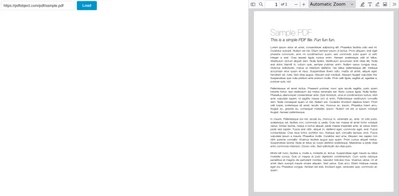
If your URL is protected through authentication or CORS, then you can also create a Media entity with Dynamic Content, and configure it as a "proxy", as this article describes: https://support.ptc.com/help/thingworx/platform/r9.5/en/index.html#page/ThingWorx/Help/Composer/Visualization/MediaEntities.html
/ Constantine
Enter your E-mail address. We'll send you an e-mail with instructions to reset your password.