
1-Visitor
July 19, 2022
Solved

How to use CSS to change Toggle Button Dimensions

  • July 19, 2022
  • 1 reply
  • 2025 views

Hi everyone,

How I can change the size dimensions on Toogle Button? 
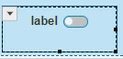
HD_10225728_0-1658233635091.png

 
I have tried giving the toggle button the custom class slider-checkbox, but that didn't work.
 
.slider-checkbox {
    width: 79px!important;
    height: 52px!important;
}
 

Has anyone found the CSS solution for this?


Thank you!
Best answer by nmilleson

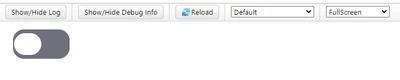
Try this:


ptcs-toggle-button::part(rectangle){
 width: 100px !important;
 height: 50px !important;
}

ptcs-toggle-button::part(oval){
 width: 50px !important;
 height: 40px !important;
}


nmilleson_0-1658236812836.png


1 reply

nmilleson17-PeridotAnswer
17-Peridot
July 19, 2022

Try this:


ptcs-toggle-button::part(rectangle){
 width: 100px !important;
 height: 50px !important;
}

ptcs-toggle-button::part(oval){
 width: 50px !important;
 height: 40px !important;
}


nmilleson_0-1658236812836.png


1-Visitor
July 19, 2022

Thank you so much!! Worked perfectly 🙂