1-Visitor
June 19, 2017
Solved

I want to create a Checkbox to select a row in a grid..? Is it possible..?

  • June 19, 2017
  • 2 replies
  • 5370 views

with the help of it I want execute some actions such as edit and delete..?

Best answer by liliu

Hi Nalla,

What your screenshot displayed is our composer page, not mashup or widgets, which means we cannot have an exactly the same design on your mashup. I designed a sample that may work for you.

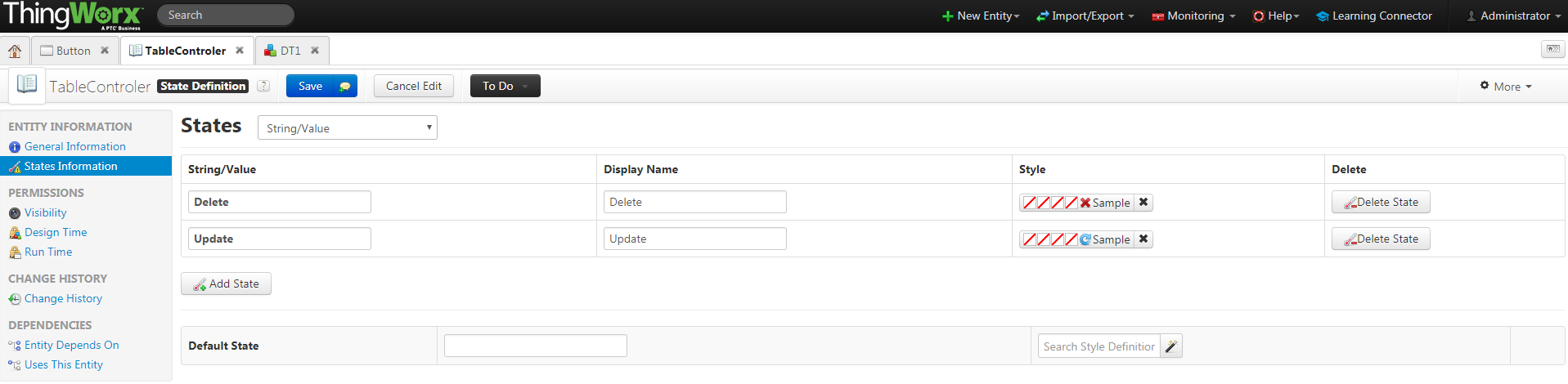
1. Create a State Definition named TableControler
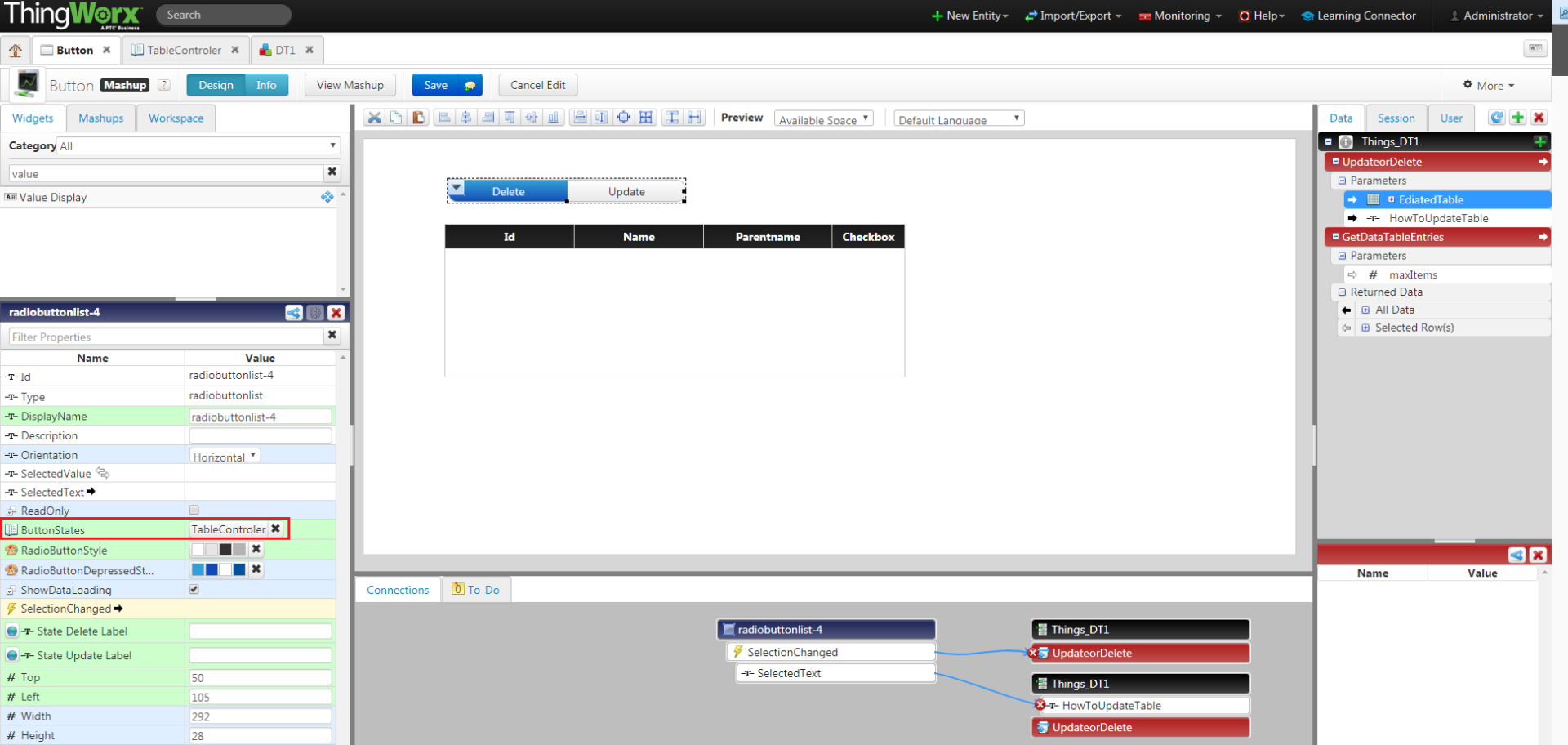
2. Create a Mashup and add Radio button  and Grid widgets on the mashup

     The Grid should be set up as my first replay.

     The Radio button should bind TableControler for it's ButtonStates
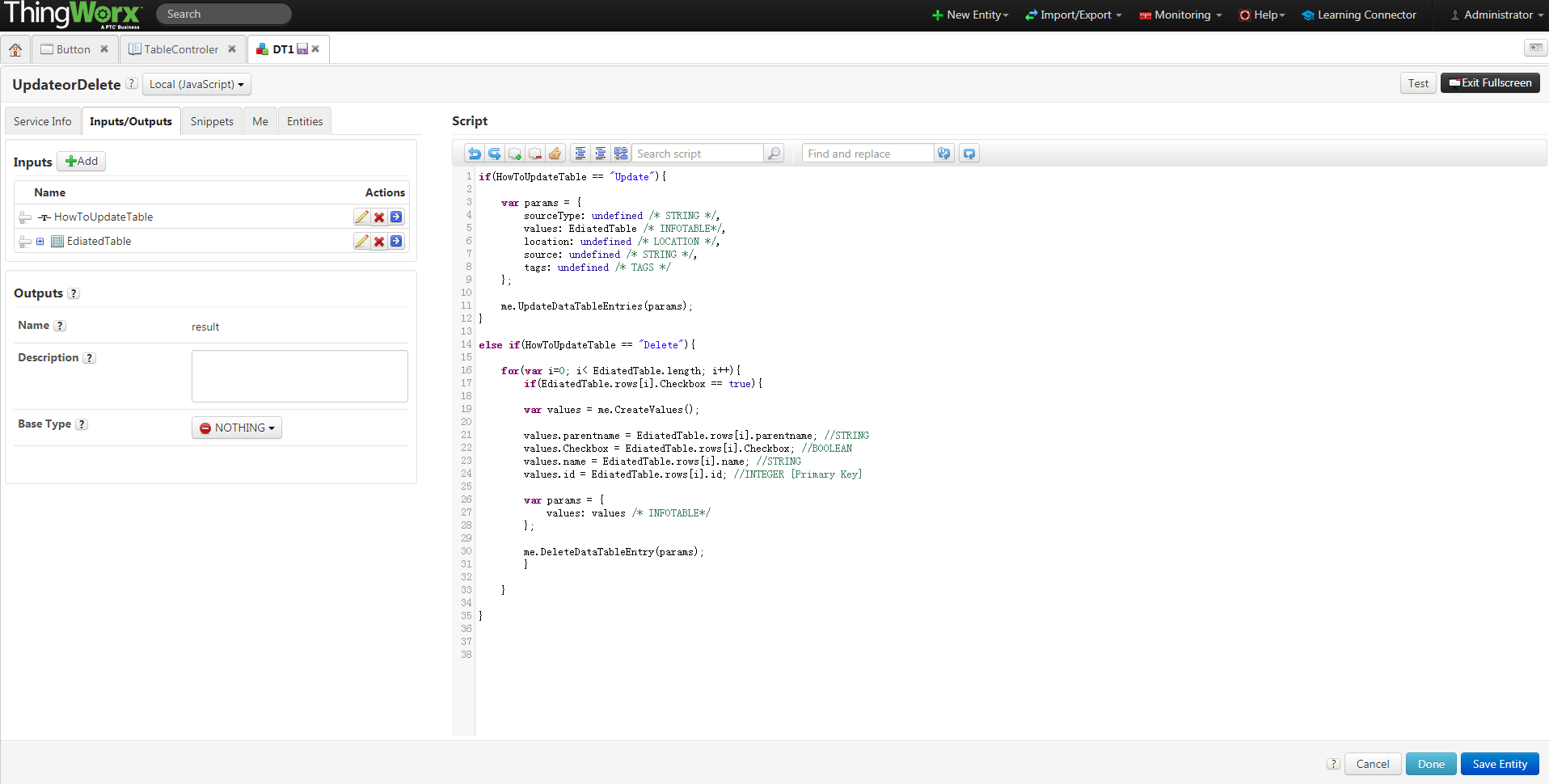
3. Customized service to response delete and update event is very important. My customized service named UpdateorDelete
4. Bind Radio Button's Selected Text to UpdateorDelete's input parameter

     Bind Radio Button's SelectionChanged event to UpdateorDelete service

     Bind Grid's EditedTable to UpdateorDelete service

     Bind UpdateorDelete's ServiceInvokeCompleted event to GetDataTableEntries.

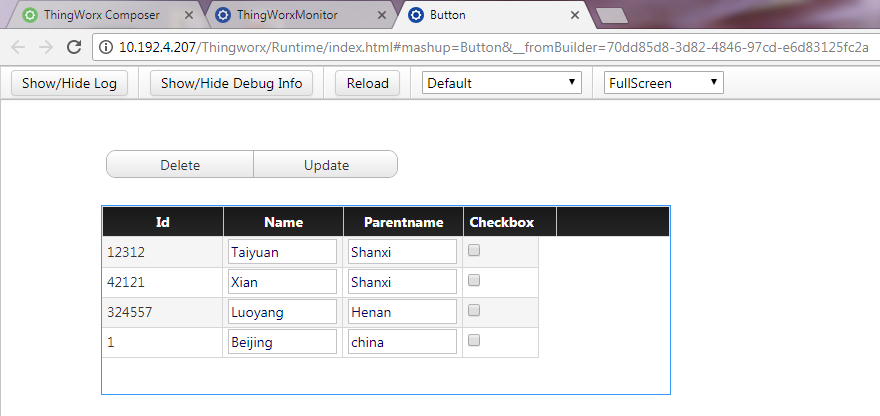
The run time page is like this.
Best Regards,

Lily

2 replies

5-Regular Member
June 19, 2017

Hi Nalla,

Yes, it' is possible.

You may need to add a boolean colum for your table first and check this colum is editable.

My sample: Checkbox is boolean type. And the default is false. (I set Checkbox default value to be false)

Also please check the IsEditahble for the grid

Bind the editedTable to the service that can upate the datatable. (Your customized service).

Should you have any concern, please just let ne know.

Best Regards,

Lily

mnalla1-VisitorAuthor
1-Visitor
June 19, 2017

Hi Li,

ThankYou for the response.

My requirement is as shown in figure. I want to create such buttons and boxes.doubt.PNG

liliu5-Regular MemberAnswer
5-Regular Member
June 20, 2017

Hi Nalla,

What your screenshot displayed is our composer page, not mashup or widgets, which means we cannot have an exactly the same design on your mashup. I designed a sample that may work for you.

1. Create a State Definition named TableControler

2. Create a Mashup and add Radio button  and Grid widgets on the mashup

     The Grid should be set up as my first replay.

     The Radio button should bind TableControler for it's ButtonStates

3. Customized service to response delete and update event is very important. My customized service named UpdateorDelete

4. Bind Radio Button's Selected Text to UpdateorDelete's input parameter

     Bind Radio Button's SelectionChanged event to UpdateorDelete service

     Bind Grid's EditedTable to UpdateorDelete service

     Bind UpdateorDelete's ServiceInvokeCompleted event to GetDataTableEntries.

The run time page is like this.

Best Regards,

Lily

mnalla1-VisitorAuthor
1-Visitor
July 5, 2017

Hi Li,

I am able to delete and update a row by selecting. at the same time, Is it possible to add data and

I tried checkbox as key to delete a row but I have not successful in that can you suggest me anything

Regards,

madhu