

18-Opal
January 17, 2018
Solved

Import Issue "Error importing: error, Java heap space"

  • January 17, 2018
  • 1 reply
  • 2277 views

When I try to import, Java heap space appears.
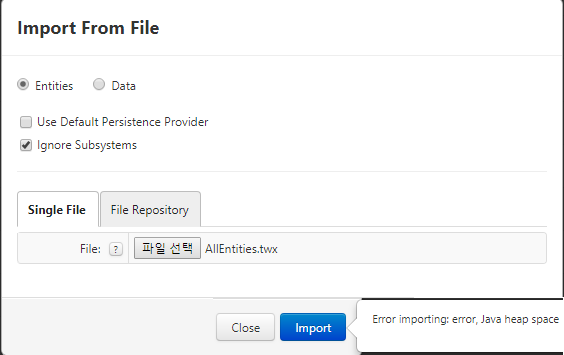
After stopping Tomcat 81 (port used by ThingWorx) I checked that all the related services of the port had disappeared and tried to start Tomcat again.

I added code to the context of Tomcat according to the installation guide.
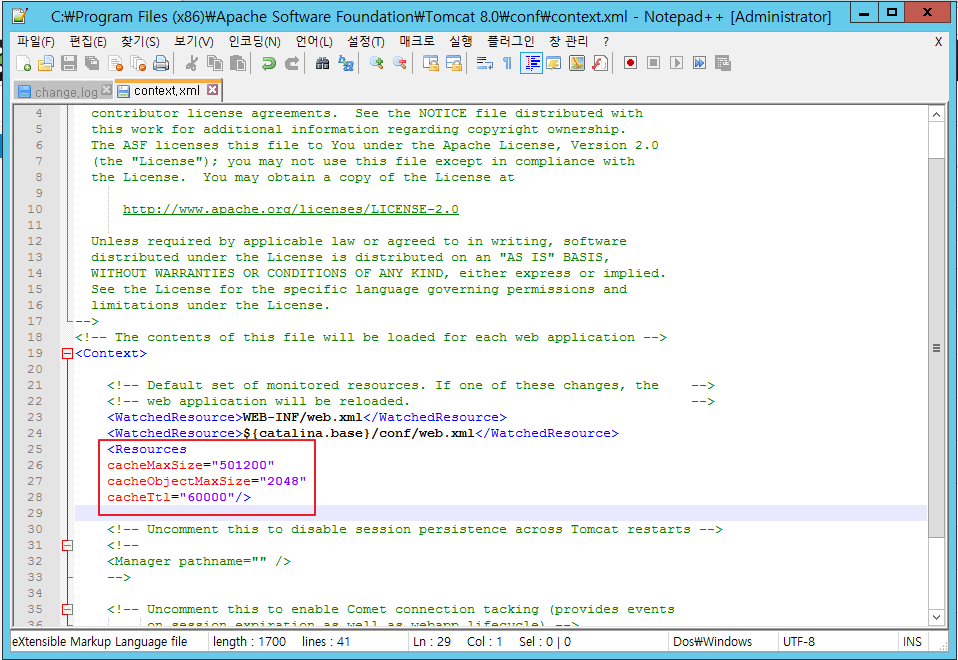
Also, adding -Xms2048m to the Tomcat manager will not start Tomcat.

How can I get rid of the Java heap space and successfully import?

thank

Best answer by mgoel

seonho Cha

Please follow the below resolution article for the same. Do let me know in case of any question.

Article Viewer | PTC

Regards,

Mohit Goel

1 reply

mgoel5-Regular MemberAnswer
5-Regular Member
January 22, 2018

seonho Cha

Please follow the below resolution article for the same. Do let me know in case of any question.

Article Viewer | PTC

Regards,

Mohit Goel

CHASEONHO18-OpalAuthor
18-Opal
January 22, 2018

it's cause installed by 32bit

i installed 64bit and import success

my OS is 2012 R2 but, Thingworx matrix said 2012

using 2012 R2 is ok?

thanks