


Installing Thingworx 7.1 - Could not authenticate Invalid authentication content
Hello,
I tried to install Thingoworx 7.1 with Java 8.1 Apache Tomcat 8.0 and PostgreSQL 9.5 (PgAdmin III) in Windows Server 2008 R2 Enterprise Service Pack 1.
I followed the steps on the manual:
1) install Tomcat and run the service
2) install PostgreSQL with PgAdmin III and create the login role
3) Create ThingworxPostgresqlStorace in C with full control to NETWORK SERVICE
3) Try to run the Bat files (Setup and Schema) after configured that (i created the thingoworx DB and tablespace via PgAdmin GUI )
below the code:
-- Tablespace: thingworx
-- DROP TABLESPACE thingworx
CREATE TABLESPACE thingworx
OWNER twadmin
LOCATION 'C:\\ThingworxPostgresqlStorage';
-- Database: thingworx
-- DROP DATABASE thingworx;
CREATE DATABASE thingworx
WITH OWNER = twadmin
ENCODING = 'UTF8'
TABLESPACE = thingworx
LC_COLLATE = 'English_United States.1252'
LC_CTYPE = 'English_United States.1252'
CONNECTION LIMIT = -1;
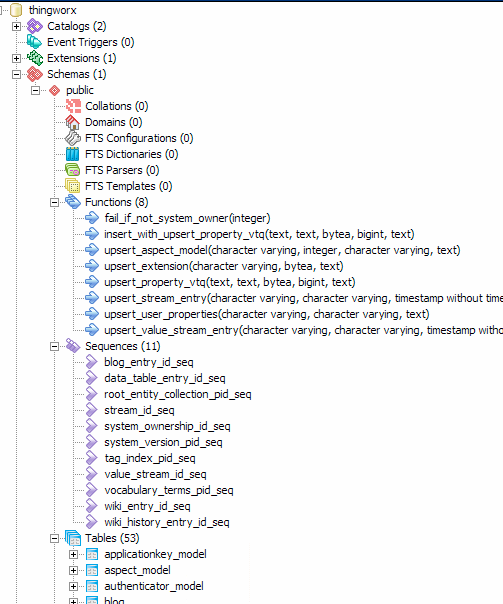
4) Create the json file in the Thingworx Platform folder in C: (attached file)
5) Added the thingworx.war file in webapps folder
in "manager apps" it seems ok:
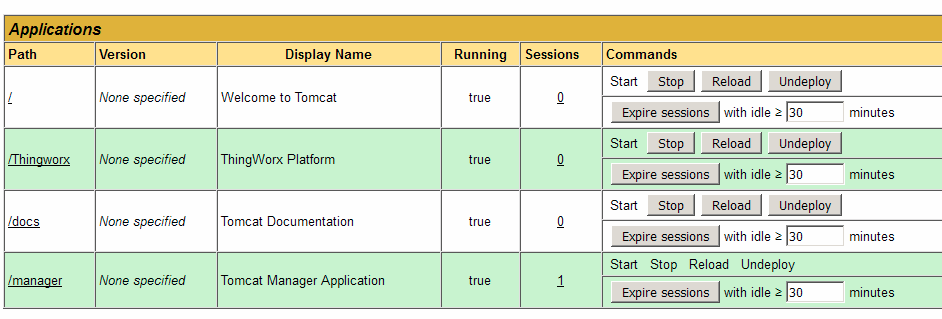
when i click on Thingoworx something went wrong: Could not Authenticate, Invalid Authentication content
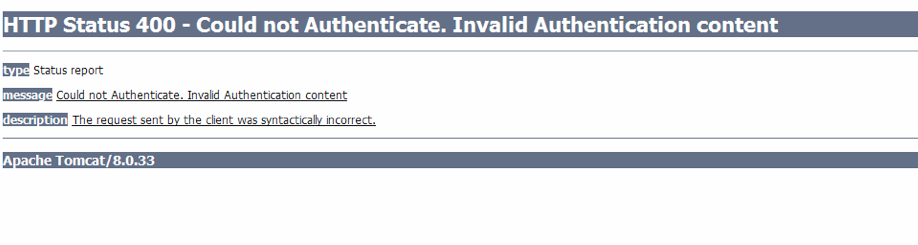
I tried to start and stop the app and reload with no results.
What's went wrong?
Anyone can help me?
Thanks