1-Visitor
June 26, 2019
Solved

Map Resolution

  • June 26, 2019
  • 1 reply
  • 1109 views

Hi all,


I am using the widget OpenStreetMap and always when I refresh my screen, the map's zoom show as:
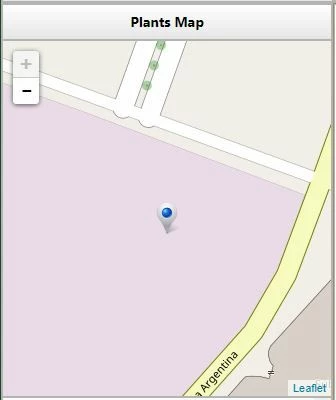
 

map1.JPG


I would like the view the map with less zoom, for example like the image below:
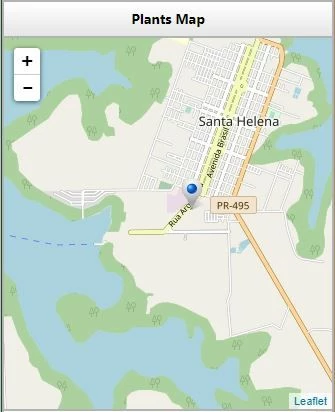
 

map2.JPG


How do I do this?


Regards,

Leonardo

Best answer by Rick-Stanley

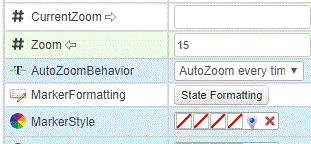
In the lower left corner of Mashup builder there are many properties of the Open Street Map widget that can be customized. You can either enter a hard-coded value for the Zoom level, or. as indicated by the arrow pointing towards 'Zoom', you can bind the Zoom level to an appropriate property that sets the Zoom level dynamically.

The property 'CurrentZoom' is a read-only property that reflects any zoom level changes that have been made by your application user 

Capture.GIF


1 reply

5-Regular Member
June 26, 2019

In the lower left corner of Mashup builder there are many properties of the Open Street Map widget that can be customized. You can either enter a hard-coded value for the Zoom level, or. as indicated by the arrow pointing towards 'Zoom', you can bind the Zoom level to an appropriate property that sets the Zoom level dynamically.

The property 'CurrentZoom' is a read-only property that reflects any zoom level changes that have been made by your application user 

Capture.GIF