Where is this infotable declared? Should it be a service parameter, or is it a thing property? In case it's a property from the same thing as the service, it should be referenced as me.myinfotable
When you type "me.myinfotable", it means that there's a property called "myinfotable" on the thing where you define this service, in your case on "GF Datatable PV UHT 1000 ml". Do you have this property defined there? If yes, then where does the data come from, how do you initialize it?
If no and you want to aggregate some data from this data table, then you should probably do something along those lines (check Help for details about those services):
var myinfotable = me.QueryDataTableEntries(...);
var result = Resources["InfoTableFunctions"].Aggregate({
 t: myinfotable,
 ...
});
Regards, Constantine
Translate
Windchill Satisfaction Survey
Help shape the future of Windchill. Take our 5-minute survey and share your feedback.

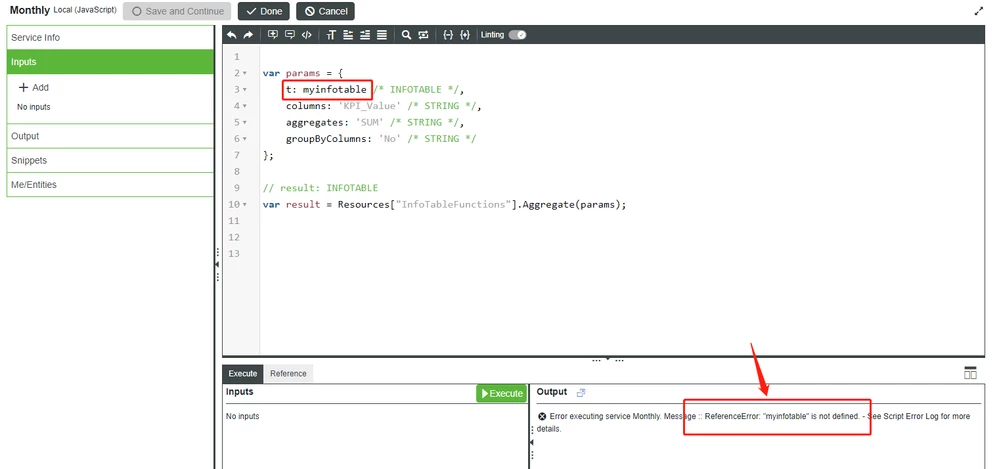 someone help me to fix this problem ASAP? thank you.