


Problems in Remote Access & Control Application ?
Hello Expert ,
I have facing a problem in Remote Access & Control Application ,
Error Like After click on Remote Access & Control Icon in Mashup

Overview of Project :
I want to access remote system from thingworx , for that i developed EMS application which is run on Remote device and it is working perfectly Below is the code
ClientConfigurator config = new ClientConfigurator();
config.setUri(args[0]);
config.setAppKey(args[1]);
config.ignoreSSLErrors(true);
// Ensure tunnels are enabled for this example
config.tunnelsEnabled(true);
try {
ConnectedThingClient client = new ConnectedThingClient(config);
VirtualThing myThing = new VirtualThing(ThingName, "Tunnel Example", client);
client.bindThing(myThing);
client.start();
while (!client.isShutdown()) {
Thread.sleep(5000);
}
} catch (Exception e) {
e.printStackTrace();
}
Above code is working and connecting to My Thingworx Below in figure show that connection property is true.
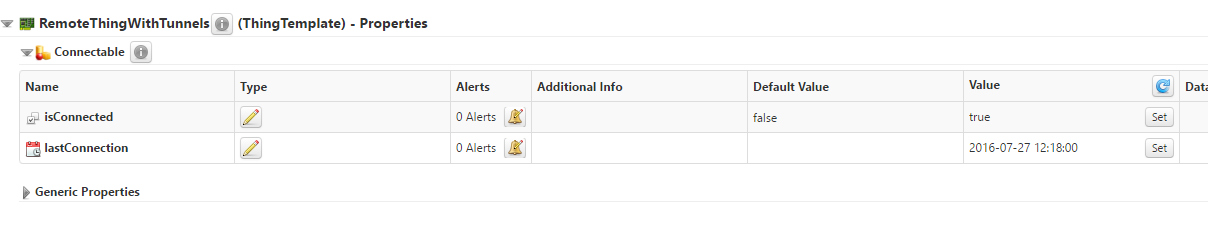
All setting match with : Tunneling with ThingWorx and an Edge Device
But Facing a problem after click on Remote Device icon Shown Error like first Figure.
If you have any idea about this issue Please let me know.
Thanks,
Mayank