
1-Visitor
October 19, 2015
Solved

The menu does not show when I login not use the administrator account .

  • October 19, 2015
  • 17 replies
  • 6647 views

When I use the account "Administrator" login, the menu can show as the following screenshot.
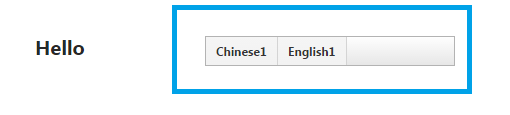
捕获.PNG

But when I use another account that I have give all permission, the menu will show abnormally and it will only show a blank panel.

2.PNG

    This topic has been closed for replies.
    Best answer by aadel-wahba

    Hi, Maybe it's too late, but may someone come here later from google like I came.

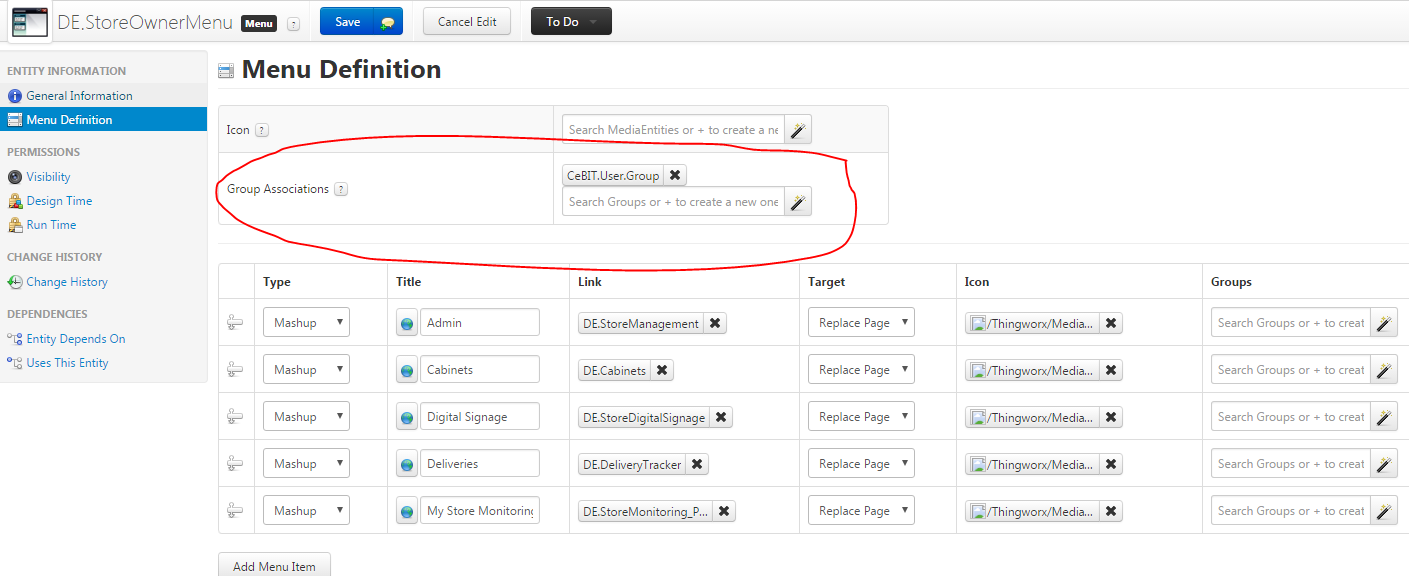
    I had the same issue, the solution was adding my user group to menu "Group Associations" , inside "Menu Definition"

    Menu.png

    17 replies

    1-Visitor
    October 19, 2015

    Hi

    A couple of questions:

    1) Do you have any groups specified for your menu items? If you do, then users must be members of those groups in order to see those menu items.

    2) Are you using Organizations/Visibility?

    Regards

    Ian

    kqian1-VisitorAuthor
    1-Visitor
    October 20, 2015

    Hi,

    Thanks for your answer!

    1)The user is one of the group specified for the menu;

    2) I am using Organizations/Visibility.

    11.PNG

    12.PNG

    Is there any permission that I need add?

    1-Visitor
    October 20, 2015

    Hi

    You need to give your User(s) visibility and runtime permissions for the PlatformSubsystem.

    Regards

    Ian

    1-Visitor
    October 19, 2015

    Did you give that account permission in the Subsystems area?  Your objects will not render properly and this could be causing your issue. It is located in the left menu on the Home Page, under System. 

    kqian1-VisitorAuthor
    1-Visitor
    October 20, 2015

    Hi,

    I have found the Subsystems area,but which item should I give the account permission?

    22.PNG

    October 20, 2015

    PlatformSubsystem

    kqian1-VisitorAuthor
    1-Visitor
    November 17, 2015

    The meun still can not be seen when I login not using the "Administrator" account.

    But the other widgets can be shown normally.

    The version of ThingWorx I am using  is Taiwan 6.0.

    Is there a possibility that it is a bug of ThingWorx?

    1-Visitor
    November 17, 2015

    Hi,

    try to open the mashup in a private session in Chrome. Sometime, old cache keeps my mashup unchanged.

    You could try to add the user to the Group Administrators. If it works, then remove from Administrators and add the user to the Organization ISI_Members. Sometime, adding user only to a group did not work for me, even the group is added to the organization.

    1-Visitor
    April 4, 2016

    Hi, Maybe it's too late, but may someone come here later from google like I came.

    I had the same issue, the solution was adding my user group to menu "Group Associations" , inside "Menu Definition"

    Menu.png

    1-Visitor
    May 10, 2016

    Thanks this works

    But i dont know if i also had to do all these steps before. So maybe all of them are necessary or just some of them.