16-Pearl
September 12, 2025
Solved

ThingView widget – How to get part name on click?

  • September 12, 2025
  • 1 reply
  • 743 views

Hi Community,


I’m trying to get the part name when clicking on a component in the ThingView widget (PVZ model).


What happens


SelectedOccurrencePath updates (e.g., /0/3/4), so the click is detected.

SelectedParts stays empty → no part name or ID is returned.


Question


How can I resolve the occurrence path (e.g., /0/3/4) to the actual part name like 30702722.PRT? Do I need special PVZ publish settings or a widget option so that SelectedParts is populated with part metadata?

Expected output when clicking a part:

Name: 30702722.PRT

Path: /0/3/4


Has anyone implemented this or any idea how to get it?


Thank you
Best answer by TonyZhang

Hi @MA8731174,


Try setting SelectedPartsSelectionMode to Property value

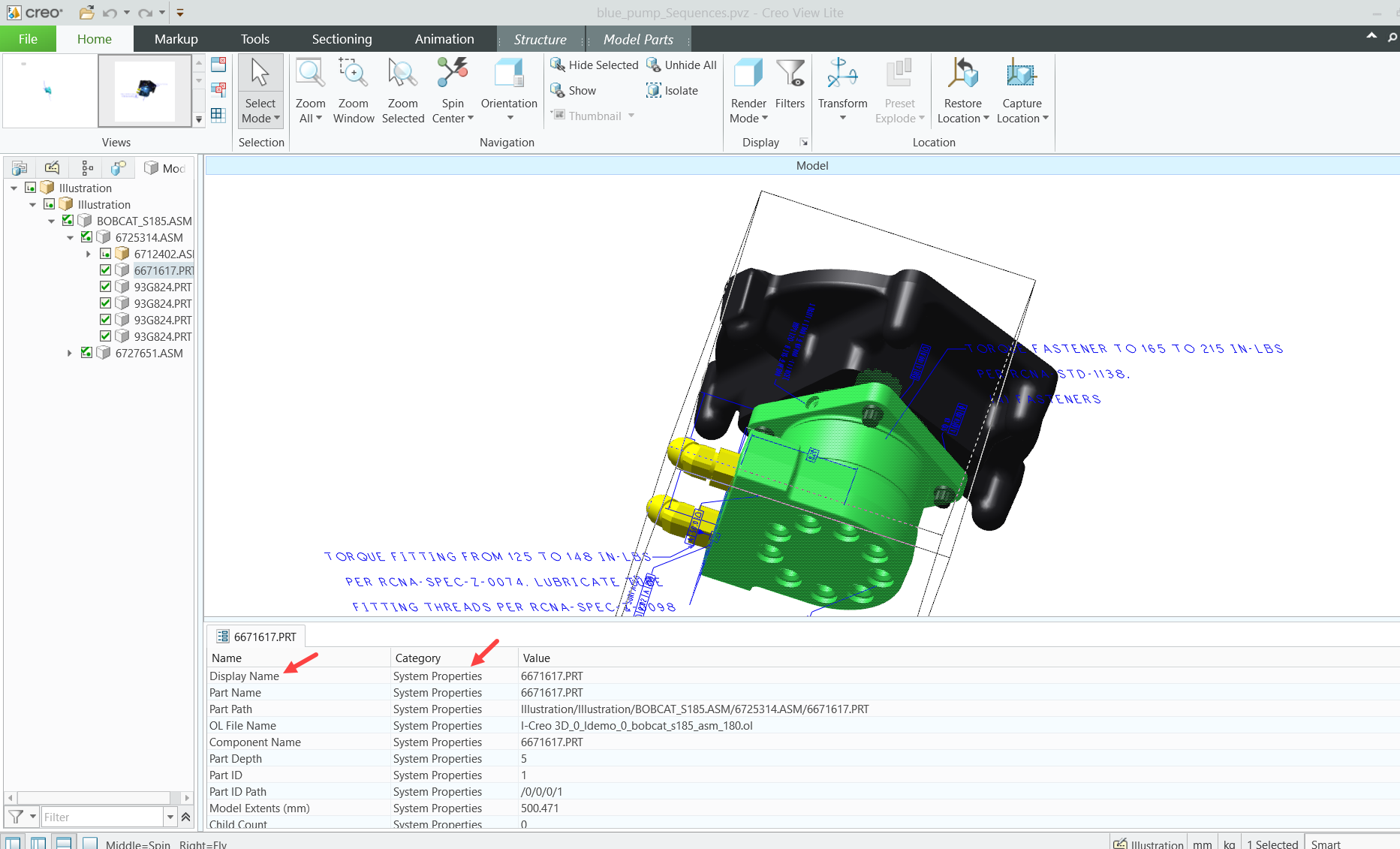
As for SelectionPropertyName and SelectionPropertyGroupName, you can open the CAD file in Creo View to examine which attribute contains the part name data.

In my example, I want the get the value of "Display Name", so I should configure SelectionPropertyName as Display Name and SelectionPropertyGroupName as System Properties

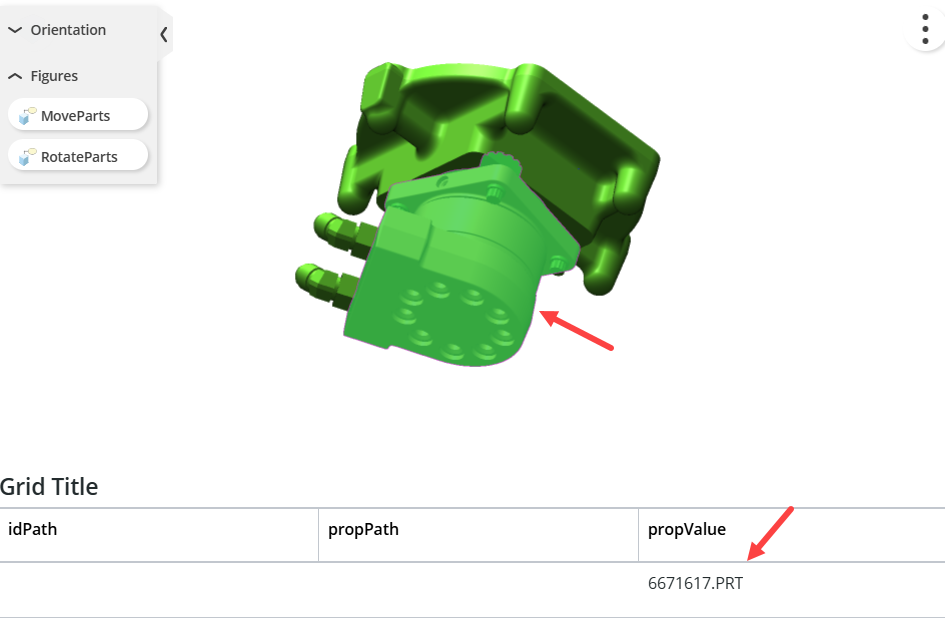
ThingView widget in action: I select a part and I get the propValue I want in SelectedParts


Best,

1 reply

18-Opal
September 15, 2025

Hey,


Try to play with the SelectedPartsSelectionMode property. Make sure you set SelectionPropertyGroupName and SelectionPropertyName correctly.


/ Constantine

MA873117416-PearlAuthor
16-Pearl
September 17, 2025

Thanks but what should i write in SelectionPropertyName and SelectionPropertyGroupName  properties? 


i would like to have the part name as we open the file in creo we can see in .PRT when i click on part from model then i would like to have the name


MA8731174_0-1758090876591.png


TonyZhang16-PearlAnswer
16-Pearl
September 18, 2025

Hi @MA8731174,


Try setting SelectedPartsSelectionMode to Property value

As for SelectionPropertyName and SelectionPropertyGroupName, you can open the CAD file in Creo View to examine which attribute contains the part name data.

In my example, I want the get the value of "Display Name", so I should configure SelectionPropertyName as Display Name and SelectionPropertyGroupName as System Properties

ThingView widget in action: I select a part and I get the propValue I want in SelectedParts


Best,