
1-Visitor
April 23, 2018
Solved

Thingworx Analytics trial Installation fails

  • April 23, 2018
  • 6 replies
  • 6685 views

Hello everyone,


i have read all the other threads regarding this topic and so i tried to follow the pre installation steps mentioned here.


So i downgraded my docker version to 17.03.0 ce and my previous occuring "post installation error" does not come up any more. Instead i have the following errror
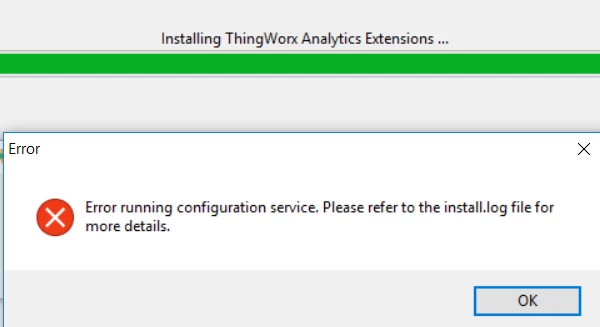
 

Screenshot (19).png


Attached you can find the log file. But the line where the error occures says:


2018/04/23 11:15:19 Post http://172.20.208.1:8080/Thingworx/Things/TW_ML_Configuration/Services/setConfiguration?method=post&Accept=text&userid=Administrator&password=trUf6yuz2?_Gub: dial tcp 172.20.208.1:8080: connectex: No connection could be made because the target machine actively refused it.


I have no idea how to set up this "target machine" to allow the connection.


Any help is appreciated very much.


Best Regards,

Dominik


Edit:

I have Sophos Antivirus running on my machine and i am not able to deactivate it since its my companies machine. Could this be the cause? I would need our admin to let me deactivate it if its the case

Best answer by cmorfin

Hi


The error you get is 

" C:\Program Files\Docker\Docker\Resources\bin\docker.exe: Error response from daemon: oci runtime error: container_linux.go:247: starting container process caused "process_linux.go:359: container init caused \"rootfs_linux.go:54: mounting \\\"/C/Users/D76C5~1.RIE/TWX-AN~1/edge-config/analytics-server.properties\\\" to rootfs \\\"/var/lib/docker/overlay2/1b442ff0d9b69cd3a4306c7fa12e16545ab9a7c0d1ec27f5341c506a635103dc/merged\\\" at \\\"/var/lib/docker/overlay2/1b442ff0d9b69cd3a4306c7fa12e16545ab9a7c0d1ec27f5341c506a635103dc/merged/maven/analytics-server.properties\\\" caused \\\"not a directory\\\"\""
: Are you trying to mount a directory onto a file (or vice-versa)? Check if the specified host path exists and is the expected type."


This is an error than can be caused by several things.

You will want to checkthe following:

- Docker daemon is allocated 6Gb (the default is 2Gb) - on Docker for Windows, select the docker icon in system tray > right mouse button > Settings > Advanced

- The C: drive is not shared, similar as above in Settings > Shared drive make sure C: is selected

- restart docker 


However, if you are installing Analytics Trial in order to execute https://developer.thingworx.com/resources/guides/operationalize-analytics-model . I would recommend that you hold on for now.

I need to double check the status of the installer available in the Developper Zone. From what I have seen, it would seem we need a newer version to include the ThingPredictor. I need to confirm that and will post back.


Thank you

Christophe


6 replies

19-Tanzanite
April 23, 2018

Hi Dominik


It would seem to forgot to attach the log file.

Is it possible that you attach all the log files created during the installation ?


Thank you

Christophe


drieder1-VisitorAuthor
1-Visitor
April 23, 2018

Ok here are the log files this time.


btw when i have rerun the installation i always get this error:

Screenshot (23).png


I am wondering if i am the only one with this problem. Its realy strange since docker actually should create the same environment for every user...


Edit: 

I get an error when trying to upload the log files, it says the files have an invalid extensions. How can i attach logfiles?

19-Tanzanite
April 23, 2018

Hi


You have a Choose Files button at the bottom of the text area when publishing a post.

Did you try this ?

I am uploading a sample log file to double check too. The file should though be zipped. the .log extension is not accepted


Regards

Christophe