
1-Visitor
September 10, 2020
Solved

Time Series Chart X-Axis size and Y-Axis size

  • September 10, 2020
  • 6 replies
  • 2903 views

Hi everyone,


My environment:


ThingWorx 8.5


Custom Chart 3.0.3 - Time Series Chart V2


Is there any way to change the x-axis size and y-axis size?


I have tried looking for Properties and Style Properties but I did not find anything.
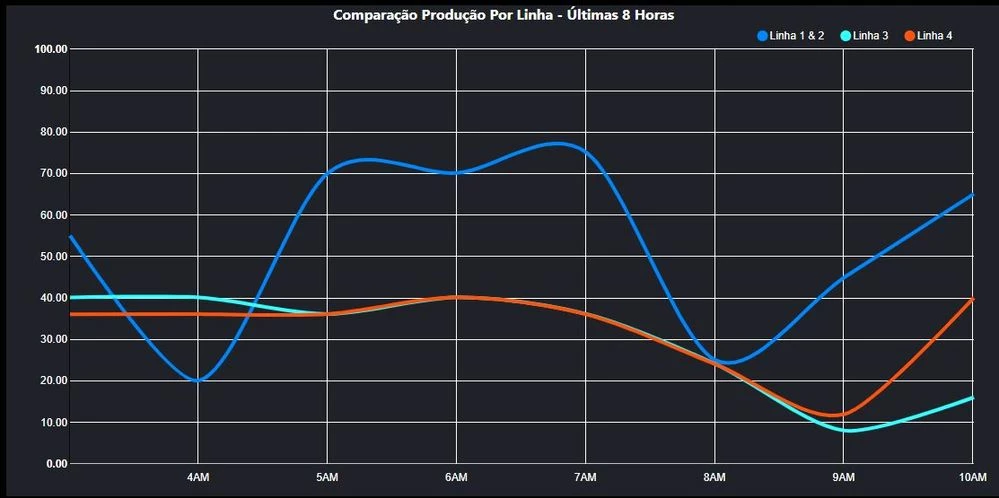
 

Line Chart History.JPG


Regards,

Leonardo.


Best answer by nmilleson

@leokeinsfeld 


Use custom CSS.  I think these have worked for me before:


.nvd3 text{
font-size: 12px;
font-style: normal;
}

.nvd3 .nv-axis .nv-axisMaxMin text{
font-weight: normal;
}

6 replies

5-Regular Member
September 15, 2020

Hi, for the X, Y axis size, are you referring to 

1. The font size of the labels, make the 4AM to look bigger

2. The intervel of each label marker, 30-40-50-60 to 30-45-60

3. The outer range size of the chart, like in your other question, the widget is not responsive?

1-Visitor
September 15, 2020

Hi @zyuan1 


I need:


1. The font size of the labels, make the 4AM to look bigger

nmilleson17-PeridotAnswer
17-Peridot
September 15, 2020

@leokeinsfeld 


Use custom CSS.  I think these have worked for me before:


.nvd3 text{
font-size: 12px;
font-style: normal;
}

.nvd3 .nv-axis .nv-axisMaxMin text{
font-weight: normal;
}