Tree grid advanced - code generated config
I have service, which results with Infotable. Format of infotable is:
{ name: string; station1: integer; station2: integer}
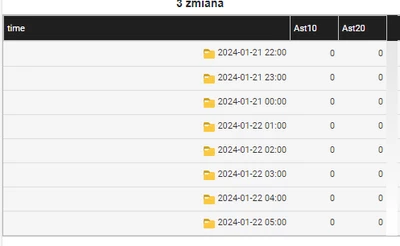
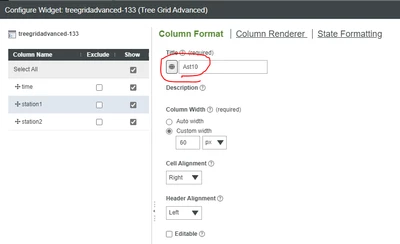
I present this infotable in mashup with tree grid advanced. I can get into widget configuration & change title for columns, so at the top row it will show it like: time, Ast10 Ast20.
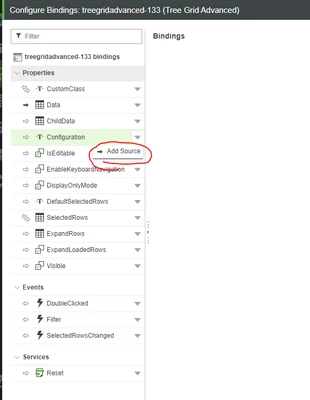
But I would like to have it dynamically changed. So, if I use mashup with parameter A, I would like to have there text Ast20, but with parameter B, I would like to have there BAC. I thought about making a service, and add result of this service as a source for configuration.
But how string for configuration should be formatted, so both (or even all three) columns will have titles generated by code? Or maybe there's other way to cope with that?