
Tree Widget Trouble
I’m trying to use the “Tree” widget to display the hierarchy of my Industrial Connection (Kepware) in a mashup, but the widget does not seem to be working as expected based on the info I can find. I’m using Thingworx 10.1.1. Help Center:https://support.ptc.com/help/thingworx/platform/r10.1/en/index.html#page/ThingWorx/Help/Mashu
p_Builder/Widgets/TreeWidget.html
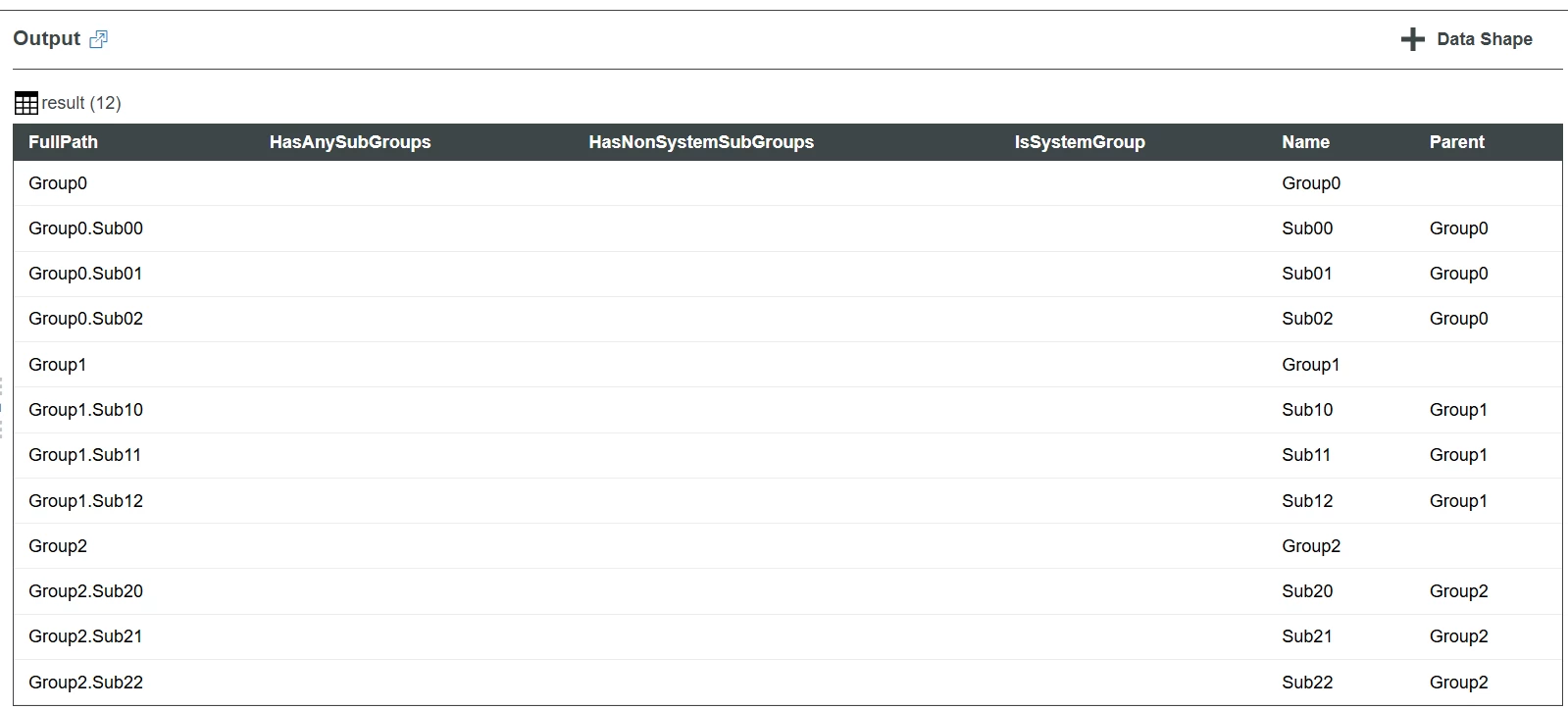
I created a service to generate example data and a mashup to display it. Here is the raw service output (datashape IndustrialGroups).
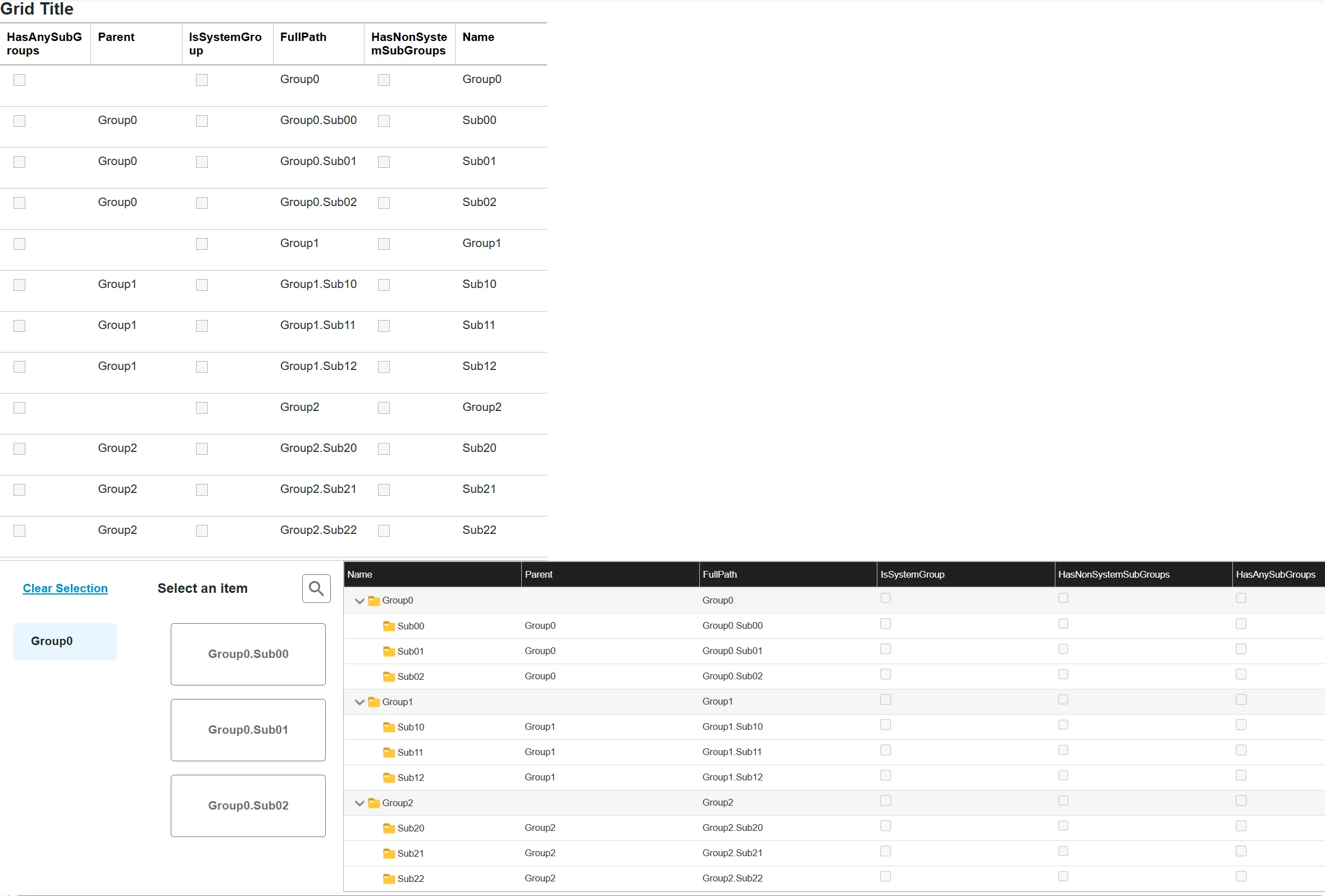
Below is my example mashup to show the service output. The “Tree” widget appears to show the “loading” animation while its service is generating the data, but I cannot seem to get it to actually display anything.
- Top left is raw output in a Grid.
- Top right is supposed to be the “Tree” widget.
- Bottom left is a “Tree Selector” widget (ptcstreeselector). I don’t quite like the feel of this widget for my purpose.
- Bottom right is the Legacy “Tree Grid Advanced” widget. This is the closest option to what I want, but I prefer not to use ‘legacy’ widgets.
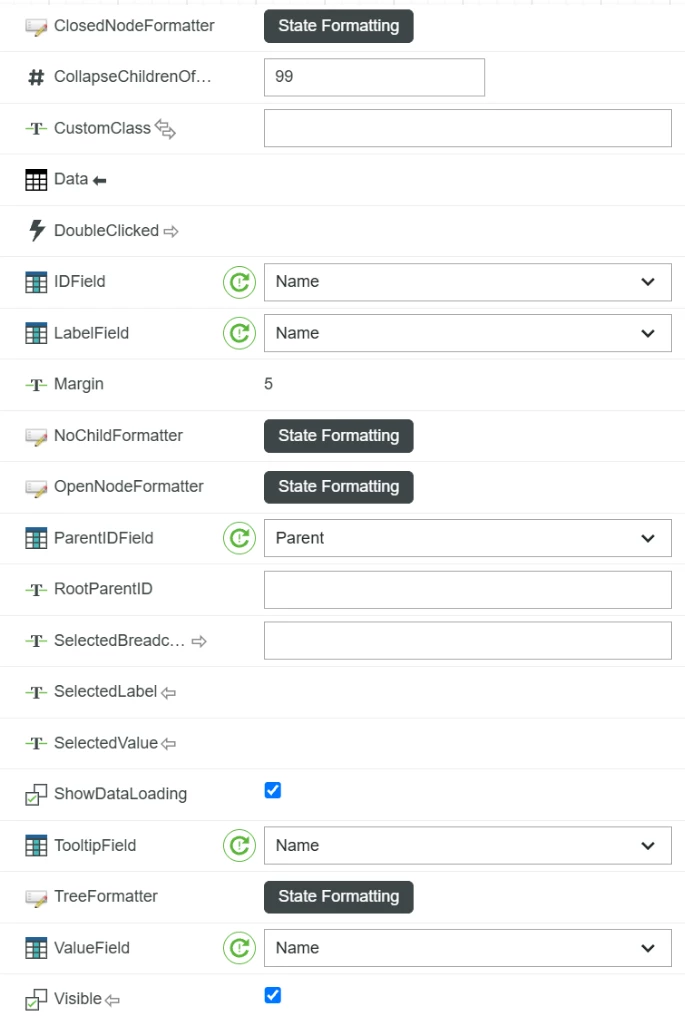
Here are the widget properties set to what I think should be working. I’ve tried various combinations of the IDField, LabelField, ParentIDField, and ValueField. I’ve also tried adding an additional “root” row to my table and setting “RootParentID” to “root” to match. Am I missing something?