Unable to apply CSS to Schedule chart legend
- 3 replies
- 1025 views
- Translate All
Hello Everyone,
I'm currently working on a Schedule Chart widget and want to align the legend items in a single horizontal row (the legend is currently displayed as a grid layout).
When I inspected the widget at runtime and manually changed the display property of [part="grid"] from grid to flex, it worked as expected. However, when I tried applying this through custom CSS, none of my attempts had any effect on the widget.
Here are the different methods I tried:
1.
ptcs-chart-legend::part(grid) {
justify-content: center !important;
align-items: center !important;
display: flex !important;
horizontal: true !important;
}
2.
ptcs-chart-schedule::part(legend)::part(grid) {
display: flex !important;
}
3.
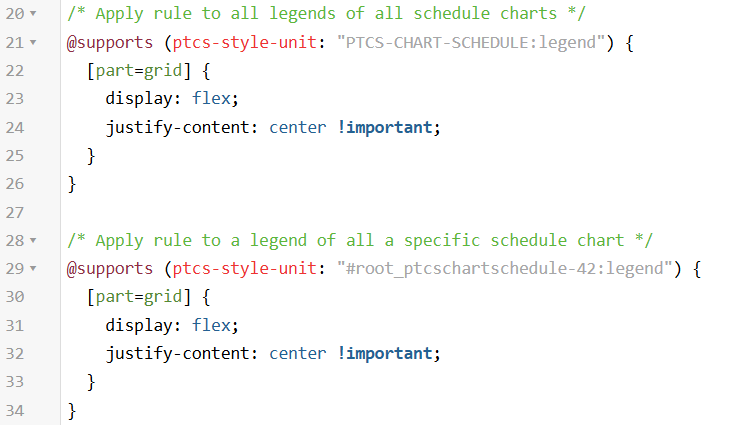
@supports (ptcs-style-unit: "ptcs-chart-schedule") {
[part =grid]{
display: flex !important;
}
}
4.
@supports (ptcs-style-unit: "ptcs-chart-legend") {
[part=grid] {
display: flex !important;
}
}
When I applied the following CSS, the legend moved to the center, but it still displayed in a grid layout instead of a horizontal line.
ptcs-chart-schedule::part(legend) {
display: flex !important;
flex-direction: row !important;
justify-content: center !important;
gap: 10px;
padding: 10px;
}
Thingworx Version : 9.6.3
Any guidance would be appreciated.
Thanks,
Aishwarya Patil