5-Regular Member
December 21, 2017
Question

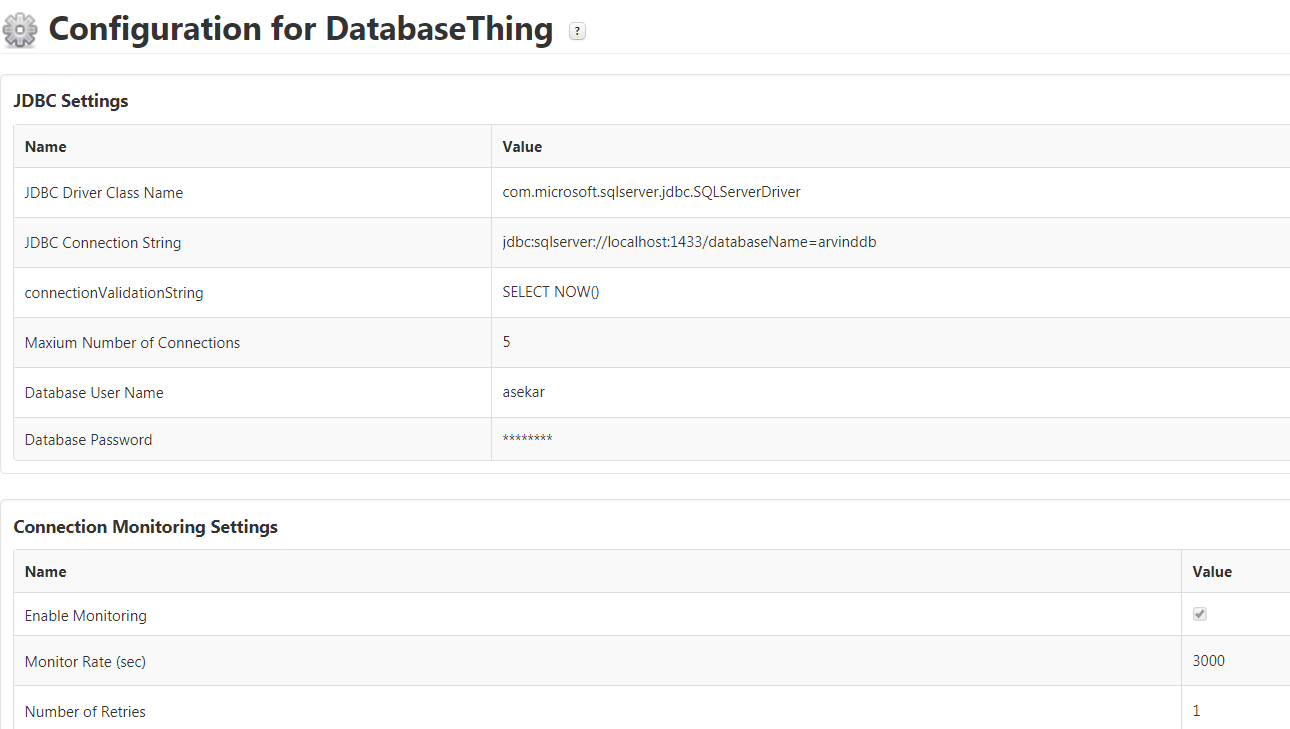
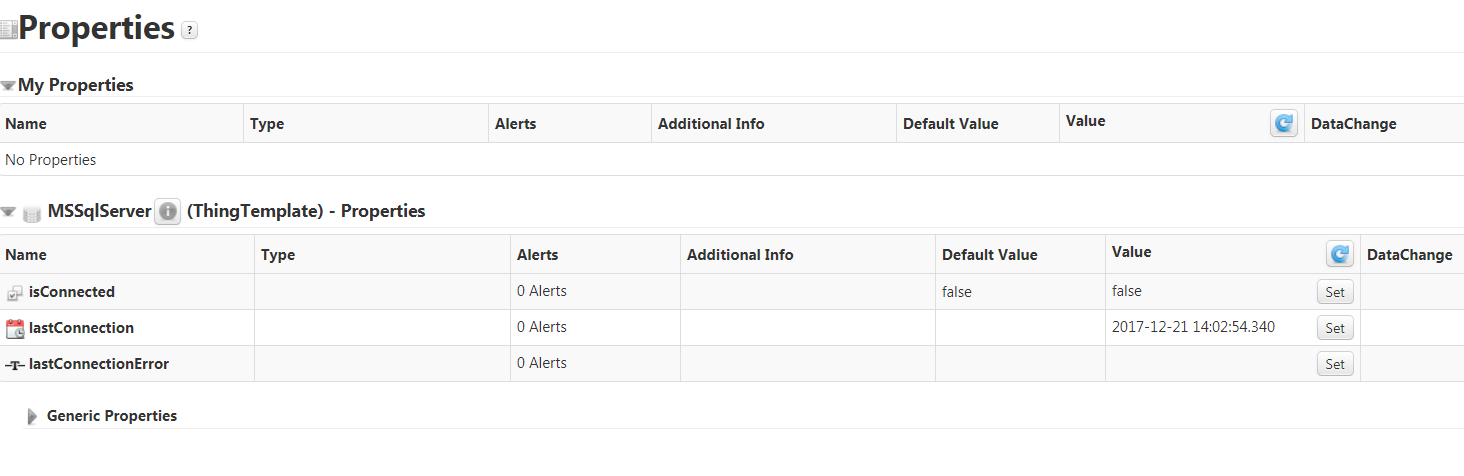
Using an mssql database. Trying to connect TWX to that but the isConnected field is false

  • December 21, 2017
  • 19 replies
  • 7186 views

Here is my configuration

Btw, I'm using windows authentication for my database
19 replies

5-Regular Member
December 21, 2017

Hi Arvind, thanks for opening new thread for this. To further understand your scenario could you share which version of ThingWorx you are using and which JDBC extension? Do you have TCP/IP enabled for the Client Protocols for MS SQL? Is the schema enabled with dual authentication meaning, Windows & SQL Server Authentication?

asekar5-Regular MemberAuthor
5-Regular Member
December 21, 2017

ThingWorx 8.0.6

I'm using the Relation DB Connector extension that can be downloaded from the market place.

I'm not sure about the remaining questions though. Can you guide me on how to get these information

Arvind

17-Peridot
December 21, 2017

Hi Arvind,

Follow below mentioned steps, you can able to connect MSSQL DB:

1. Import Relational DB Connectors from ThingWorx IoT Marketplace

2. Create a Thing With "Database" Thing Template.

3. Then navigate to "Configuration" and Fill required details.

  • JDBC Driver Class Name : com.microsoft.sqlserver.jdbc.SQLServerDriver
  • JDBC Connection String : jdbc:sqlserver://hostip:port;databaseName=DBName
  • connectionValidationString : SELECT GETDATE()
  • Provide DB user name and Password.

*It will work with DB password.

That's all!!!

Thanks.

Sathishkumar C.

asekar5-Regular MemberAuthor
5-Regular Member
December 21, 2017

Thanks for the reply.

But when I created sql server, I had given Windows authentication option. WHat should be my username and pwd in thingworx then ?

It doesn't seem to work with my system credentials

Arvind

5-Regular Member
December 21, 2017

Arvind, you'll need to have the TCP/IP enabled for the client protocol and need to restart the SQL Server service. All of this should be doable within the UI have you have shared from the SQL Server Configuration Manager. You can first test with the SQL Server Authentication if that is working and if you'd like to have Windows Authentication only option then in that case you'll need the Integrated security enabled in the JDBC connection string e.g.  Integrated Security=true

See this for more : Authentication in SQL Server | Microsoft Docs

asekar5-Regular MemberAuthor
5-Regular Member
December 25, 2017

Latest log

I tried changing the below

5-Regular Member
December 25, 2017

The 3rd log in the Application log shows that there's still some issue in establishing connection, as you can see in the error the connection is being rejected by the Database. Can you please share the screenshot of the SQL Configuration Utility where you have enabled the TPC/IP ?

Even though your setup appears to be same machine i.e. database and the ThingWorx server, could you please ensure that no firewall/antivirus software is blocking this connection?

asekar5-Regular MemberAuthor
5-Regular Member
December 25, 2017

I don't see the TCP/IP error in application log anymore

asekar5-Regular MemberAuthor
5-Regular Member
January 2, 2018

The issue got resolved last week. Just got time to update this thread.

TCP/IP to be enabled

Firewall for SQL port to be created

Re-create the database thing in Thingworx. The changes doesn't seem to affect the existing database thing.

Thanks for your support

Arvind