

Utilization Subsystem Performance Issues
All - I wanted to share a hard learned lesson when using the Utilization Subsystem to track statistics on the executed services on the platform. The Utilization Subsystem has 4 settings on its configuration tab, and we had all 4 set to TRUE:
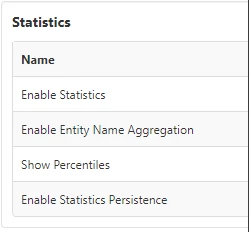
We found that when we had the last setting set to TRUE, then our TempDB file for MS SQL Server was growing very quickly (40 - 50GB every 24hrs). Our server was running out of disk space daily and when we restarted the server, we got all the TempDB space back and everything ran fine for another day.
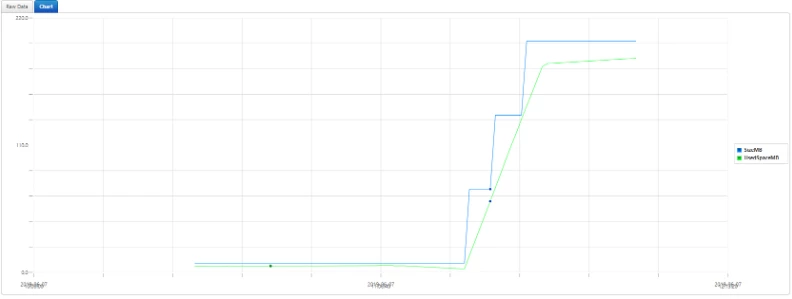
We wrote an app that monitors the TempDB size on our SQL server and you can clearly see when we changed setting "Enable Statistics Persistence" to FALSE and the growth speed of the TempDB database slowed drastically.
Wanted to share with anyone else using the Utilization Statistics in 8.3 and above.